The most popular advice about Apple Pay and Google Pay is also the least useful for crypto-card users: choose the wallet with the stronger security and stop worrying. That advice confuses the wallet with the entire payment system. A phone can protect the card credential while an issuer declines the transaction, a merchant blocks the card category, a country excludes the card program, or a fraud team freezes the account at the worst possible moment.
For a crypto-linked card, the practical question isn't only whether Apple Pay or Google Pay is safer. It's whether your device, issuer, card network, country, merchant, and recovery process work together. Apple Pay and Google Pay both use contactless EMV NFC at compatible terminals, so the visible tap is only one part of the outcome. The hard friction usually appears before authorization or after something goes wrong.
| Decision area | Apple Pay | Google Pay and Google Wallet |
|---|---|---|
| Primary constraint | Apple hardware and Apple-supported issuer provisioning | Compatible Android hardware, Google services, issuer support, and regional availability |
| In-store terminal standard | Contactless EMV NFC | Contactless EMV NFC |
| Crypto-card experience | Often smooth when the issuer supports Apple Wallet enrollment | More variable across Android devices, regions, and issuer implementations |
| Main operational risk | Closed ecosystem and merchant or issuer exceptions | Device fragmentation and inconsistent regional rollout |
| Best practical use | iPhone or Apple Watch users whose issuer explicitly supports Apple Pay | Android users whose card issuer supports Google Wallet in their country |
| Fallback strategy | Carry a physical card or second payment route | Carry a physical card or second payment route |
Table of Contents
- The Wallet Security Illusion
- Device Ecosystems and Provisioning Constraints
- Tokenization and Where Fraud Actually Enters
- Terminal Acceptance and Regional Asymmetry
- Beyond Checkout, Transit, Passes, and Ecosystem Utility
- Integrating Crypto Cards into Your Digital Wallet
- Choosing the Right Wallet for Your Crypto Strategy
The Wallet Security Illusion
A protected wallet can still produce a declined, frozen, or disputed payment. That gap matters more with crypto cards because the issuer may apply extra controls to funding, settlement, KYC status, card usage, geographic access, or account risk. Face ID, a device passcode, and Android biometric authentication help prevent casual access to the wallet. They cannot make an issuer approve a transaction or restore an account.
Apple says the original card number is not stored on the device or shared with the merchant during the normal wallet flow. Consumer reporting has described Apple Pay and Google Wallet as at least as secure as contactless cards, as discussed in this coverage of Apple Pay and Google Wallet fraud risks. Those protections address credential exposure at the point of tap. They leave other questions open, including whether the payment clears, how a suspicious transaction is reviewed, and how quickly access returns after a freeze.
Practical rule: Treat the wallet as a protected presentation layer, not as a guarantee from the issuer.
Where the risk moves
After tokenization limits exposure to the raw card number, the meaningful friction often shifts to issuer controls and account administration. A provider can freeze a card, request a new KYC review, restrict a country, reject a merchant category, or decline a dispute while the wallet token and device remain secure. The payment may therefore fail because of a policy decision rather than a weakness in Apple Pay or Google Wallet.
Crypto-card users should separate a wallet compromise from an issuer-side event. The response to each is different. A compromised phone calls for device and wallet remediation. An issuer freeze may require identity checks, compliance documentation, a support case, or a replacement card. A custodial account generally depends on the provider's recovery and compliance procedures. A self-custody or on-chain arrangement introduces different limits and recovery assumptions. This custodial versus self-custody crypto-card guide explains the distinction.
What to check before trusting a tap
Review the issuer's freeze controls, geographic restrictions, merchant-category rules, and transaction alerts before adding the card. Confirm how the provider handles a card-not-present dispute, a mistaken wallet charge, a compromised phone, and an account review. Check whether support can explain a decline and whether a replacement card can be provisioned again.
A familiar Apple or Google interface does not provide the same recovery process as a traditional bank card. Read the issuer's terms for funding, settlement, KYC reviews, and disputes, then keep a physical card or another payment route for time-sensitive purchases.
Judge the wallet by its failure modes. What the merchant, issuer, or fraud system does when it disagrees with you determines the actual payment outcome.
Device Ecosystems and Provisioning Constraints
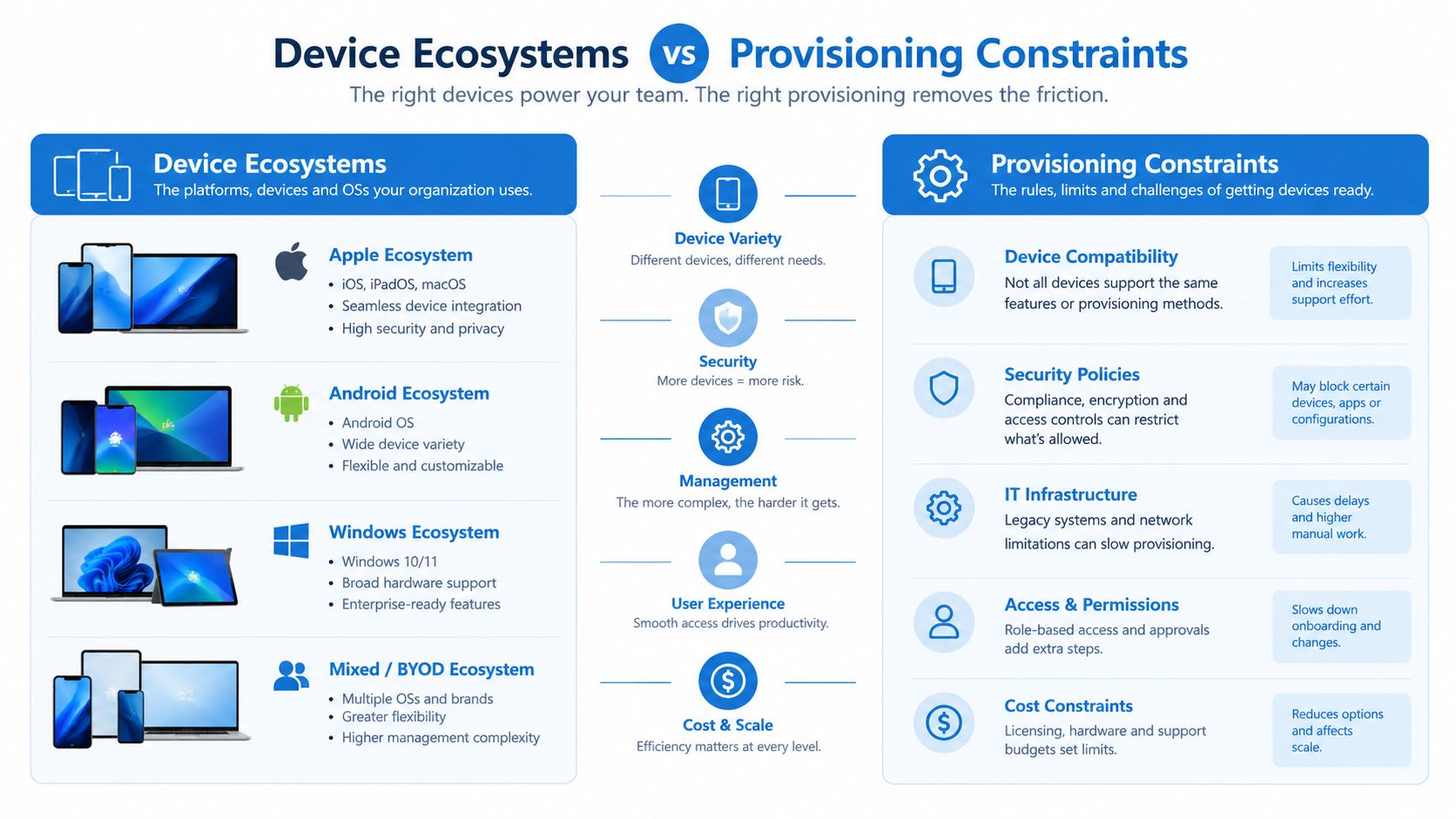
Your phone usually decides the wallet before your card does. Apple Pay is tied to Apple devices, while Google Wallet is designed for compatible Android hardware and Google's software environment. That makes the comparison less like choosing between two interchangeable apps and more like checking whether a particular issuer supports your device ecosystem.
An iPhone user can't install Google Wallet and gain the same tap-to-pay path available on Android. An Android user may also find that wallet availability depends on the device, software certification, Google services, and the country in which the device and card were issued. A crypto-card provider can support mobile wallets in principle while still excluding a particular handset, region, or account configuration.
Provisioning is an issuer decision
The wallet app doesn't independently decide whether a crypto card can be added. The issuer, card network, token service, and wallet platform must support the card together. During enrollment, the issuer may verify the cardholder, assess the account, check the device, and decide whether to create a wallet token.
That explains a common support contradiction: an issuer's marketing page may say it supports Apple Pay and Google Pay, while a specific user receives an error. The card may be unsupported in that country, the account may require additional verification, the virtual card may not be eligible, or the issuer may have enabled only one wallet integration.
| Device situation | Likely practical result |
|---|---|
| Supported iPhone with an eligible crypto card | Apple Wallet provisioning may be straightforward if the issuer approves the card |
| Compatible Android phone with current Google services | Google Wallet may work, subject to issuer and regional support |
| Imported or uncertified Android handset | Wallet features or card enrollment may be unavailable |
| Card issued in a restricted market | The wallet may install, but the card may still fail to provision |
| Watch or secondary device | It may require a separate issuer approval or additional setup |
Don't choose the card by logo alone
Before ordering a card, check the issuer's support page for your exact device family and country. Look for separate instructions for Apple Wallet and Google Wallet rather than relying on a single “mobile payments supported” label. Also confirm whether support applies to physical cards, virtual cards, or both.
Apple's closed hardware model can feel more predictable when the issuer supports it. Google's broader hardware reach can be more convenient for Android users, but the range of devices creates more variables. In both cases, the relevant question is whether your card can be provisioned on your device, not whether the wallet is popular in general.
Tokenization and Where Fraud Actually Enters
A wallet token can make the tap safer while leaving the payment outcome exposed to decisions outside the wallet. At the terminal, Apple Pay and Google Pay usually do not transmit the card number printed on a crypto card. Both use EMV contactless NFC, replacing the underlying card details with a device-linked payment credential. That makes ordinary card-number skimming much harder than entering or displaying the primary card number.
Tokenization strengthens one part of the transaction. It does not control the merchant's authorization request, the processor routing that request, or the issuer's fraud rules. The issuer still evaluates account controls, transaction context, and spending patterns. If a payment is challenged later, the dispute team decides which records and authentication signals carry weight.
A verified payment can still create dispute friction
The relevant risk for crypto-card users often appears after authorization. A payment can pass wallet authentication and issuer checks, yet still involve an unfamiliar merchant descriptor, a blocked category, a restricted funding route, or a conversion issue. Those conditions can make a transaction look valid to the provider even when the cardholder expected a different outcome.
A failed dispute can also become more difficult when the provider treats the transaction as authenticated. The wallet may have confirmed the device and token correctly, while the issuer's records show a completed payment with the required verification. This distinction matters for crypto-linked products because the card, funding account, exchange account, and recovery process may each apply separate controls.
A token secures the credential. The user remains the unsecured layer in an authorized scam.
Focus controls where they matter
Turn on issuer alerts for every transaction, and learn how to freeze the card through the issuer's app. Keep a separate route for contacting support. A phone number or message supplied by a suspicious caller may lead to an account takeover or an incorrectly authorized payment. For operational teams managing unattended payments, a broader smart vending security checklist can expose physical and payment-workflow risks that wallet security alone leaves outside its scope.
Test a newly provisioned card with a small purchase before relying on it for travel or a major recurring expense. Check how the issuer labels the transaction, whether the card can be frozen and unfrozen, and whether support can explain its dispute process. A practical setup combines wallet authentication with issuer alerts, conservative limits, fast freeze controls, and a clear recovery path. Tokenization reduces exposure of the card credential, while issuer policy and bank-side fraud decisions still shape whether the payment succeeds and how problems are resolved.
Terminal Acceptance and Regional Asymmetry
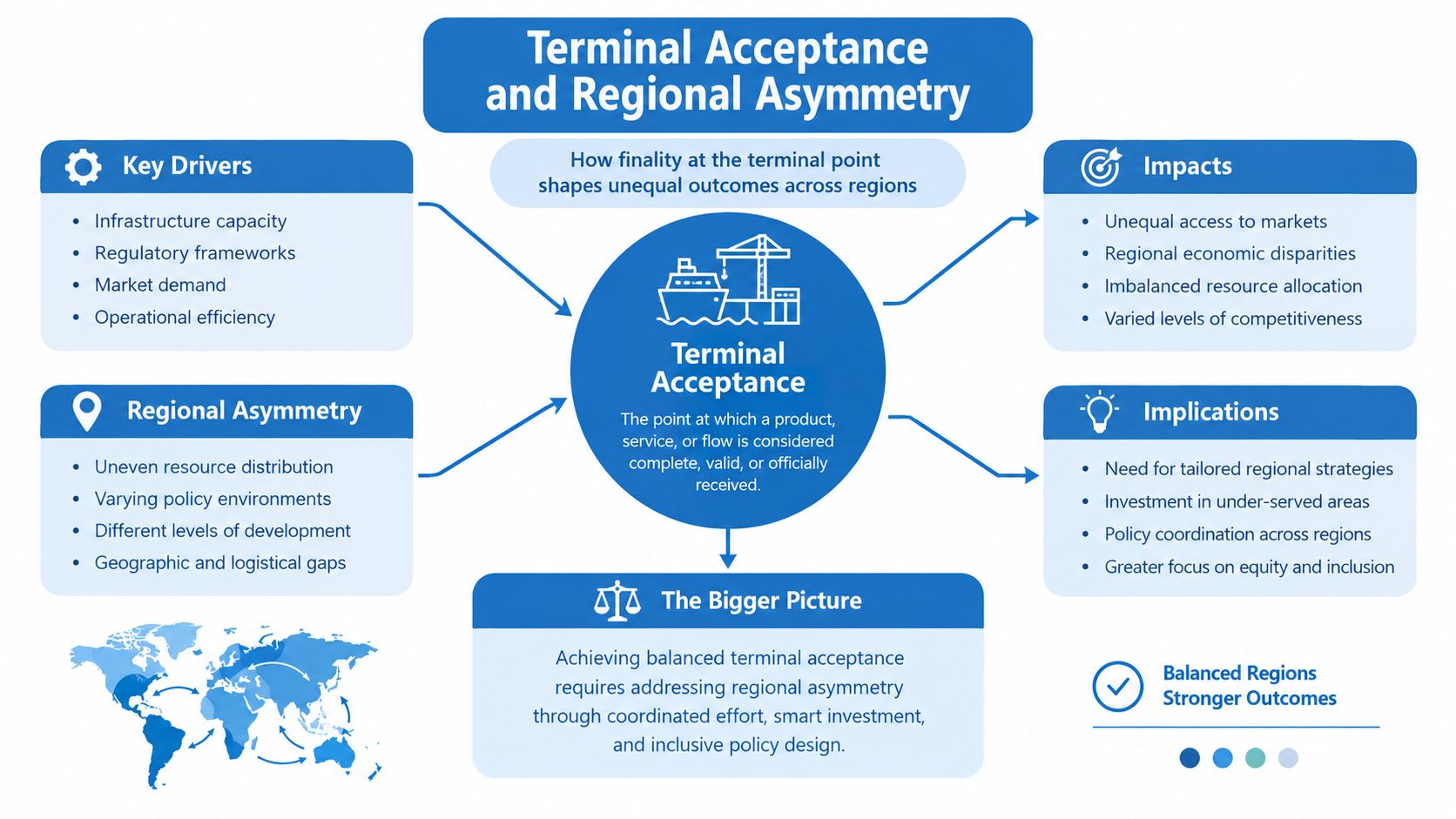
A contactless symbol usually tells you that a terminal can communicate through NFC. It doesn't promise that every card, issuer, or wallet will clear successfully. Apple Pay and Google Pay use the same broad contactless EMV standard at compatible terminals, so a reader that accepts one will often accept the other. The deciding variables can still include the merchant's acquiring setup, the card network, the issuer's country policy, and the merchant category. Merchant documentation on Apple Pay and Google Pay contactless acceptance describes this shared terminal foundation.
That is why a crypto-card user can see three different outcomes at nearby shops. One terminal accepts the tap immediately. Another displays a contactless logo but rejects the card because of issuer or network rules. A third accepts the physical card but not the wallet token because provisioning or risk checks differ.
Country matters more than global branding
Apple Pay has a substantial footprint in the United States and other developed markets, while Google Pay has strong relevance in markets such as India. An industry estimate cited in 2025 placed Google Pay at about 44% of global mobile-wallet share, compared with 39% for Apple Pay, although Google doesn't publish an official user count and these estimates shouldn't be treated as a universal acceptance guarantee. The same comparison highlights the shift from Google Pay toward Google Wallet in key markets, where cards, passes, and tap-to-pay functions sit inside a broader wallet product. The market-share comparison and Google Wallet context provide useful context, but country-level issuer support remains more actionable than a global ranking.
Merchant exceptions can be decisive. Reporting in 2026 said Walmart was finally adding Apple Pay, with rollout expected to extend across its stores and fuel stations later, showing how a major U.S. retailer can lag on acceptance even while contactless wallets are widely established. The Walmart acceptance report is a reminder to check specific merchants rather than infer acceptance from national adoption.
Build a corridor-specific fallback
A traveler should map the actual route, not choose a wallet based on worldwide reputation. Check the issuing country, destination country, card network, local merchant patterns, and whether the issuer permits transactions abroad. Keep the physical card separate from the phone and maintain another funding route for transport, accommodation, and emergencies.
For a more practical acceptance check, use a guide to where a crypto card can be used alongside the issuer's own country list. Apple Pay and Google Pay are often interchangeable at the reader, but they're not interchangeable when the card program or market excludes one of them.
Beyond Checkout, Transit, Passes, and Ecosystem Utility
A wallet becomes more valuable when it replaces several physical items, not just a payment card. Apple Wallet and Google Wallet can hold combinations of boarding passes, event tickets, loyalty credentials, and other passes, depending on what the issuer or merchant provides. The practical experience varies because the pass provider controls compatibility, while the phone ecosystem controls how the credential is surfaced and synchronized.
For a traveler, this creates a different kind of lock-in. The payment tap may work at the destination, but a transit pass or event ticket may be easier to add, update, or display on one platform than the other. A crypto-card decision should therefore include the daily tools surrounding the card, especially if the phone is already used for travel documents and local transport.
Convenience has a maintenance cost
Digital passes reduce the need to carry paper, but they can also create account and device dependencies. A phone replacement, a disabled account, low battery, or an issuer change can affect access to several credentials at once. Users should know how to retrieve a boarding pass or ticket outside the wallet and should avoid treating the phone as the only copy of a critical travel document.
Apple's ecosystem can feel coherent for someone already using an iPhone and Apple Watch. Google Wallet can fit more naturally into an Android setup that already relies on Google services. Neither platform guarantees that every local transit operator, airline, retailer, or event organizer supports the same workflow.
Peer-to-peer utility is not the same as card spending
Wallet features beyond checkout may include transfers, passes, loyalty programs, or account credentials, but those functions have their own geographic and issuer limits. A card user shouldn't assume that a wallet's broader app features will make a crypto-card balance transferable, refundable, or available through a local payment scheme.
The right evaluation is practical:
- Travel documents: Can you add and retrieve the pass without relying on a fragile email link?
- Transit access: Does the local operator support the wallet and the card or pass type?
- Loyalty use: Does the merchant recognize the digital credential at checkout?
- Recovery: Can you access essential documents if the phone or account is unavailable?
The best wallet for daily life is often the one that reduces the most friction around your existing routines. That may be Apple Pay for an Apple-centered setup or Google Wallet for an Android-centered one, even when the underlying crypto-card payment capability is similar.
Integrating Crypto Cards into Your Digital Wallet
Adding a crypto card isn't always the same as adding a conventional bank card. The issuer has to support the wallet, the card network has to support tokenization, and the account has to meet the provider's eligibility rules. KYC status, country of issuance, card type, and whether the card is virtual or physical can all affect the result.
Start with the issuer's current setup instructions. Use the official wallet app, enter the card details exactly as issued, and complete any identity or verification request inside the issuer's approved flow. Don't give a wallet code, one-time password, or support credential to anyone who contacts you unexpectedly.
Check the card before troubleshooting the phone
A virtual card may be available for online spending but not eligible for wallet provisioning. A physical card may need to be activated first. A self-custody or privacy-focused product may deliberately avoid the integrations required by mainstream wallets, even when the card works at ordinary merchants.
| Card type | KYC requirement | Virtual card support | Common provisioning errors |
|---|---|---|---|
| Custodial issuer card | Usually governed by the issuer's account verification policy | Often available, subject to issuer approval | Unverified account, unsupported country, issuer review |
| Self-custody or on-chain card | Depends on the provider and legal structure | May be available, but wallet eligibility varies | Unsupported product structure, incomplete activation, regional restriction |
| Privacy-focused card | May use reduced verification or a stricter eligibility model | Often depends on the specific program | Wallet integration unavailable, identity mismatch, issuer policy |
| Physical crypto debit card | Activation and issuer checks may be required | Not applicable to the physical form, although the account may have a virtual version | Card not activated, wrong billing details, token request rejected |
| Virtual crypto card | Account verification and product eligibility may apply | This is the card's normal form, but wallet support isn't automatic | Unsupported virtual product, expired details, wallet or issuer rejection |
A practical recovery sequence
If enrollment fails, first confirm that the card is active and that the account is in good standing. Then check country eligibility, device compatibility, wallet software, and whether the issuer lists the exact card product as supported. Remove stale or incomplete wallet entries only after recording the issuer's instructions, because repeated attempts can trigger additional risk checks.
If the card provisions but a purchase fails, separate a wallet problem from a card decline. Test the card through an approved channel, review merchant and geographic restrictions, and check available balance or conversion conditions. A focused guide to crypto-card declined reasons and fixes can help organize that diagnosis.
Don't order a card solely because its landing page displays Apple Pay or Google Pay logos. Ask whether support applies to your country, card type, device, and intended spending corridor. That small check can prevent a card from becoming unusable the day you need it.
Choosing the Right Wallet for Your Crypto Strategy
There isn't a universal winner between Apple Pay and Google Pay. The sensible choice follows your hardware first, your crypto-card issuer second, and your travel corridors third. A wallet that works perfectly at home may be a poor fallback if your issuer has limited country support or your regular merchants use exceptions.
Use this decision matrix as a starting point:
| User profile | More suitable starting point | What to verify before relying on it |
|---|---|---|
| iPhone or Apple Watch user | Apple Pay, if the issuer supports Apple Wallet | Country eligibility, physical versus virtual card support, merchant exceptions |
| Android user with a supported device | Google Wallet | Device certification, Google services, issuer rollout, regional availability |
| Privacy-focused crypto user | The wallet supported by the issuer without compromising the chosen custody model | KYC requirements, account recovery, issuer access, and whether the card is genuinely compatible |
| Rewards optimizer with several cards | The platform that provisions the cards you actually use | Card-by-card enrollment, issuer alerts, reward exclusions, and fallback payment methods |
| Frequent traveler or digital nomad | The wallet with the strongest support across the user's real corridors | Destination restrictions, card network, physical backup, and local merchant acceptance |
Make the decision operational
Provision the card before travel, complete a small domestic test, and confirm that issuer alerts arrive promptly. Keep the physical card available, store support details safely, and understand how to freeze the account without relying on a message from an unfamiliar contact. These steps matter more than choosing a wallet based on a broad security slogan.
For crypto-card comparisons, review the issuer's custody model, supported assets, KYC position, network, fees, and regional availability alongside wallet support. A card that matches your spending strategy but fails your country or device requirements isn't a practical choice.
Apple Pay is usually the natural route for an Apple device owner. Google Wallet is usually the natural route for an Android owner. The better overall setup is the one that combines supported provisioning, reliable issuer controls, acceptable regional coverage, and a physical fallback when the digital payment layer fails.
NomadCards compares crypto-linked debit and credit cards by factors such as fees, rewards, custody model, KYC requirements, supported assets, networks, and regional availability. Visit NomadCards to compare card programs and check whether Apple Pay or Google Wallet support fits your device and travel needs.