In the U.S., Apple Pay has approximately 65.6 million active users, compared with about 35 million Google Pay users in 2025, but those figures don't mean one wallet can absorb the other. Apple Pay and Google Pay are separate systems, so you can't directly transfer a card between them, but you can add the same physical card to both wallets independently.
You've probably landed here after changing phones, replacing a damaged iPhone, or deciding that an Android device fits your needs better. Your cards are saved, a transit pass may be ready for the morning commute, and payments have become automatic enough that rebuilding everything feels unnecessarily difficult.
The practical reality is more specific. You aren't moving an Apple Pay account into Google Wallet. You're asking your card issuer to create a new, device-specific wallet credential for Google Pay. That distinction matters even more for crypto-linked cards, where issuer approval, region, card type, and verification status can determine whether the setup works at all.
Table of Contents
- Understanding the Real Challenge of Wallet Migration
- Choosing Your Migration Path Based on Your Goal
- Adding Your Card to Google Wallet Step by Step
- Why Your Card Might Not Work in Google Pay
- Special Considerations for Crypto Cards and Digital Assets
- Final Checks and Best Practices for a Smooth Transition
Understanding the Real Challenge of Wallet Migration
Apple Pay and Google Pay developed from different platform strategies and reached major milestones at different times. Apple introduced Apple Pay in the United States in October 2014, while Google launched Android Pay in September 2015, renamed it Google Pay in 2018, and later integrated the service into Google Wallet. The U.S. adoption gap helps explain why users often encounter different issuer policies and device experiences. Recent estimates place Apple Pay at approximately 65.6 million active users, compared with about 35 million Google Pay users in 2025. (Apple Pay and Google Pay adoption estimates)
Those figures describe user adoption, not payment value, and they aren't a global ranking. Google Pay has particular strength in Android-heavy markets, especially India, while Apple Pay benefits from the large installed base and spending power of iPhone users in North America and other developed markets.
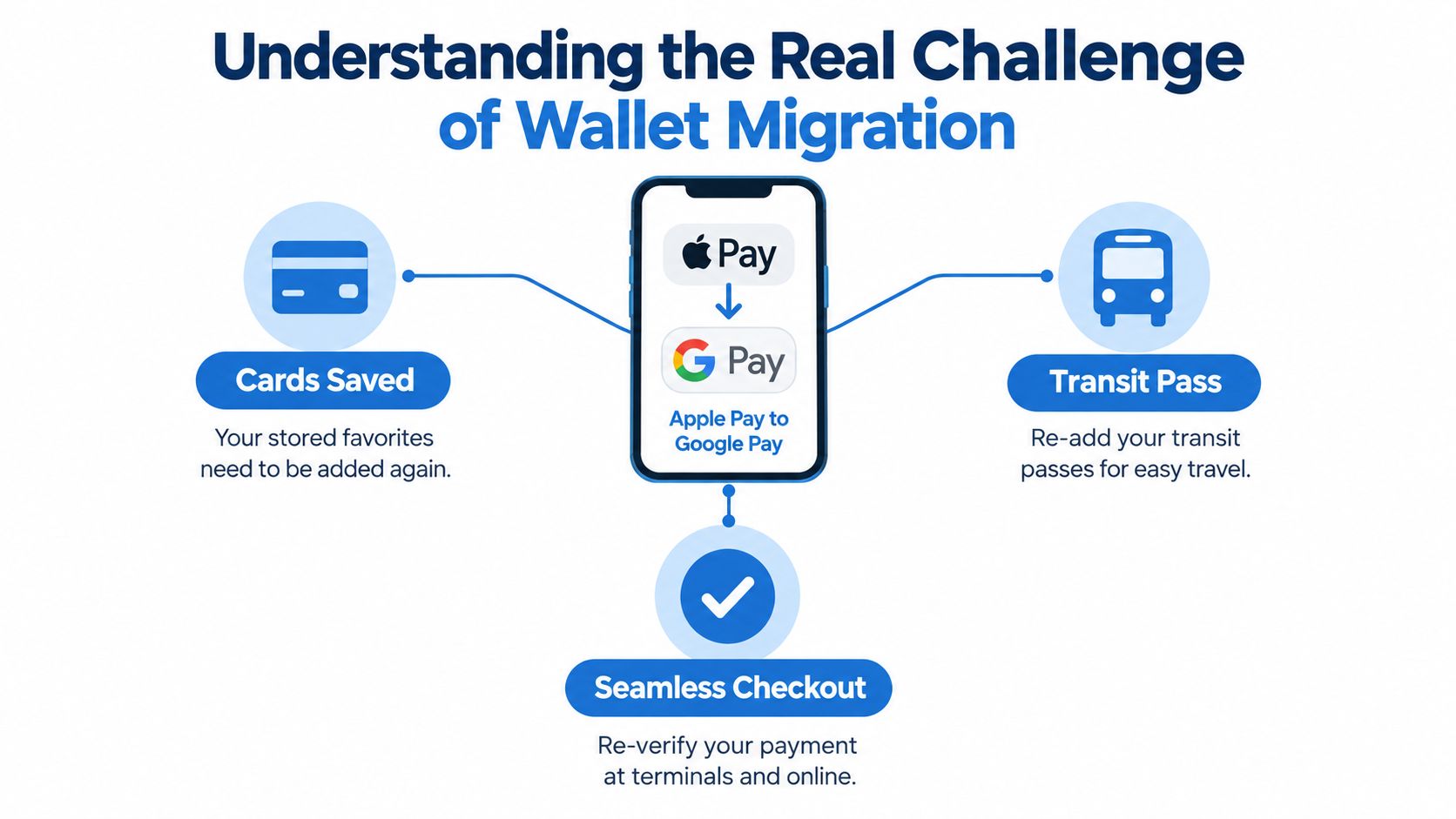
Three different things people call migration
Most confusion comes from treating three separate tasks as one:
- Reuse a card: Add the same bank card or crypto-linked card to Google Wallet. This creates a new wallet token and doesn't transfer the Apple Pay credential.
- Move a balance: Transfer Apple Cash or another stored balance into Google Pay. That isn't the same as adding a payment card.
- Send money to someone: Use a bank account or supported payment service to send funds independently of either wallet.
Apple Cash remains part of Apple's ecosystem, while Google's U.S. peer-to-peer Google Pay service was discontinued. A direct Apple Cash-to-Google Pay transfer therefore isn't the normal route. If you're trying to move money rather than reuse a card, first identify whether the funds are held in Apple Cash, a bank account, an issuer account, or a crypto platform.
Practical rule: Move the card through the issuer, move cash through a supported financial rail, and move crypto through the issuer's permitted withdrawal or blockchain route. A mobile wallet isn't automatically any of those accounts.
Choosing Your Migration Path Based on Your Goal
Before deleting anything, define the outcome you need. The safest workflow depends less on your old wallet and more on whether you're moving a credential, money, or a digital asset.
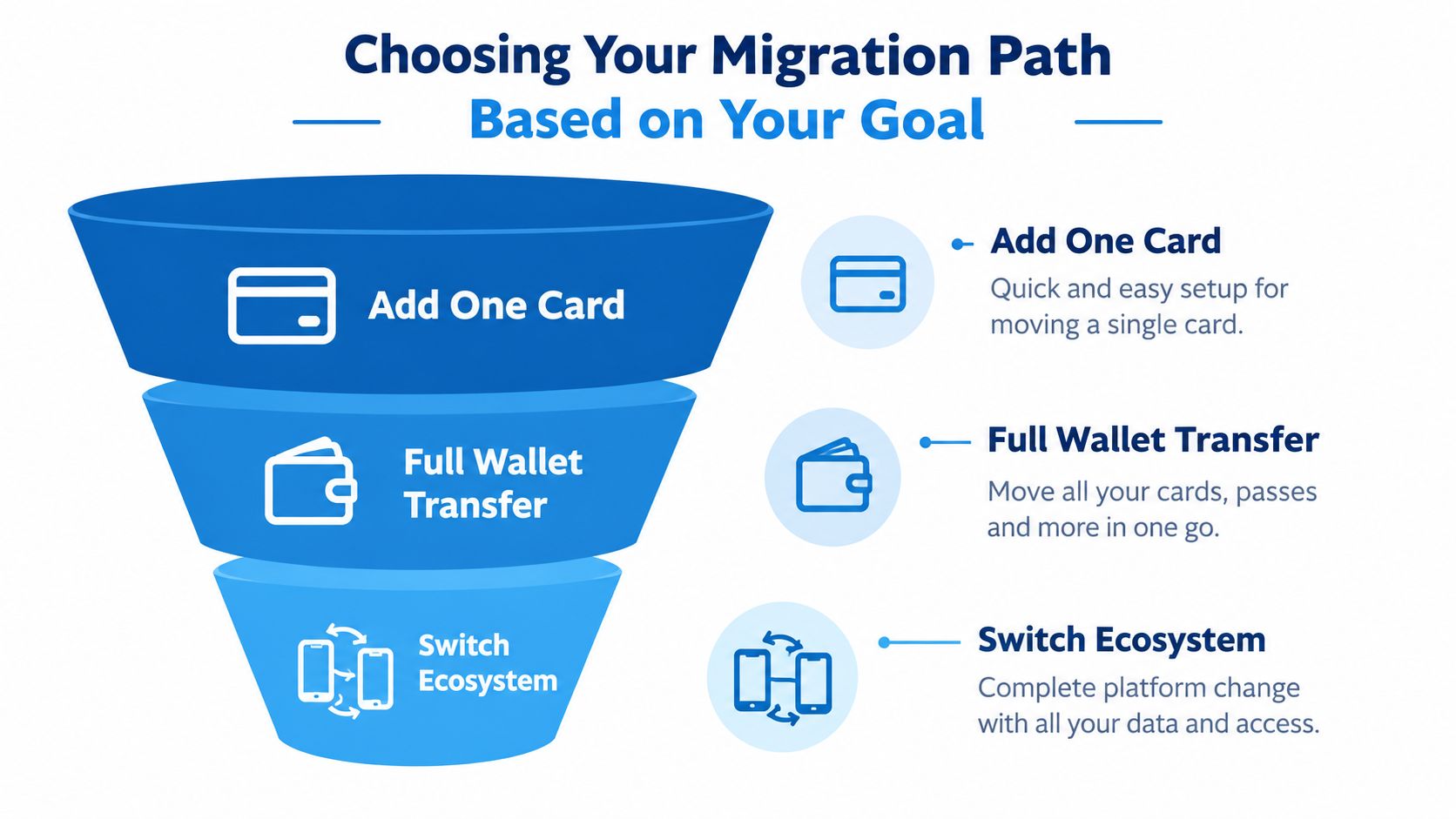
If you want to reuse one card
Choose this path when you want the same underlying card available on an Android phone. Check that the issuer supports Google Wallet in your country and that the specific card is eligible. Then add the card separately in Google Wallet and complete the issuer's verification process.
The card number may look unchanged, but the wallet doesn't copy Apple Pay's stored credential. Google Wallet receives a separate token linked to the device, and the issuer must approve its provisioning.
If you want to move cash
Don't search for a wallet-to-wallet card migration procedure. Apple Cash and Google Wallet aren't interoperable account balances. Withdraw or transfer the money using the available Apple Cash route, such as an eligible bank account or supported payment method, then use that account with the destination service.
Check fees, settlement timing, and destination eligibility before confirming a transfer. Workarounds can be difficult to reverse, and a crypto-linked card balance may not be transferable merely because the card works at a contactless terminal.
If you want to move crypto
Use the card issuer or the relevant blockchain route, not Google Wallet. Confirm whether the balance is custodial, self-custodial, or tied to a spending account, then follow the permitted withdrawal process. For broader product research, compare card networks, supported assets, custody models, regional availability, and wallet support in this crypto card comparison guide.
The migration question is therefore simple only after the goal is clear. You may be switching the wallet used at checkout, not transferring ownership of the funds behind the card.
Adding Your Card to Google Wallet Step by Step
Adding a card after using Apple Pay is usually manageable, but it isn't automatic. You need a compatible Android device, NFC enabled for contactless payments, an active screen lock, and an issuer that has enabled Google Wallet provisioning for your card and region.
Start with the physical or virtual card details and keep access to the issuer's verification channel. A crypto-card issuer may verify you through its app, while a traditional bank may use an SMS, email, or customer-service review.
The enrollment sequence
Prepare the device: Update Android, install or update Google Wallet, enable NFC, and set a secure screen lock. If the device fails Google's security or compatibility checks, card enrollment may stop before the issuer receives a meaningful request.
Open Google Wallet: Select the option to add a payment card. You can usually scan a physical card with the camera or enter the details manually. For a virtual crypto card, manual entry may be the more practical route if no physical card exists.
Review the issuer details: Confirm the card is active, funded where required, and enabled for contactless transactions. Online card acceptance doesn't prove that in-store NFC wallet payments are enabled.
Complete verification: The issuer or token-service provider assesses the provisioning request. A low-risk request may be approved quickly, while a medium- or high-risk request can require an SMS code, email confirmation, banking-app approval, identity challenge, or manual support review.
Wait for activation: Don't assume that seeing the card artwork means the token is ready for use. The issuer may still need to activate the provisioned credential.
What happens behind the screen
EMV tokenization replaces the primary account number, or PAN, with a payment token associated with the device. At checkout, Google Wallet authenticates you with a biometric, PIN, or passcode and sends the token with a transaction cryptogram. The merchant's acquirer and payment network validate that information before the issuer authorizes the payment. The tokenization workflow is described in the EMV payment tokenization primer.
That's why deleting a card from Apple Pay doesn't make it portable. It removes or suspends one wallet credential, but Google Wallet still needs its own provisioning request. If you're changing phones, replacing a card, or resetting the device, plan to enroll the card again rather than looking for an export function.
Why Your Card Might Not Work in Google Pay
A card can display a Visa or Mastercard logo and still fail Google Wallet setup. The payment network is only one part of eligibility. The issuer must support Google Pay provisioning, the card must be allowed in the relevant country, and the device must meet Google's security and contactless requirements.
Apple Pay approval also doesn't carry over. Each wallet uses its own tokenization relationship, and the issuer can approve one wallet while declining or restricting the other. The same issue affects virtual and physical cards differently, especially when an issuer has enabled only one card type for mobile wallets.
Diagnose the failure in order
Start with the device rather than repeatedly entering the card details. Confirm operating-system compatibility, NFC availability, and screen-lock requirements. Then check the account itself:
- Card status: Make sure the card is active, funded where applicable, and approved for contactless spending.
- Issuer support: Ask whether Google Wallet provisioning is available for this exact card, country, and card type.
- Application state: Update Google Wallet and the issuer's app, then retry enrollment.
- Verification: Look for an unfinished identity challenge, approval request, or support ticket.
- Terminal compatibility: Test at a merchant terminal that accepts contactless EMV payments.
- Activation timing: If the token was just approved, allow the issuer's activation process to finish before testing again.
A useful distinction is the difference between online checkout support and physical-store NFC support. An issuer may let you use card details on a website while excluding mobile contactless transactions, or it may support Google Wallet only for cards issued in selected regions.
The fastest fix is usually not deleting the card repeatedly. It's confirming the issuer, country, card type, and verification path before trying enrollment again.
For problems that continue after these checks, use this guide to crypto card decline reasons and fixes. When contacting support, provide the device model, country, card type, exact error message, and whether the card was previously active in Apple Pay. That gives the issuer enough context to distinguish a tokenization restriction from a device problem.
Special Considerations for Crypto Cards and Digital Assets
Crypto-linked cards add another layer because the payment card may connect to a custodial account, a self-custody wallet, an on-chain contract, or a conversion service. Google Wallet doesn't hold or transfer the Bitcoin, Ethereum, or stablecoins behind the card. It stores a payment credential that tells the issuer which approved card account should authorize a purchase.
A card may support Apple Pay, Google Wallet, both, or neither. The outcome can depend on the issuer, country, device ecosystem, tokenization setup, KYC status, and whether the card is virtual or physical. A Visa or Mastercard logo doesn't settle the question.
A realistic crypto-card failure pattern
Suppose a virtual crypto card works in Apple Pay while you're using an iPhone in your home country. You move to an Android phone after relocating, add the same card details, and receive a Google Wallet verification failure. That doesn't necessarily mean the card is defective. The issuer may not support Google Pay in the new jurisdiction, may require a fresh identity review, or may allow only physical cards for Google Wallet.
The clean response is to ask targeted questions:
- Does this exact card support Google Wallet in my current country?
- Are virtual cards eligible, or is a physical card required?
- Is provisioning immediate, or does support need to approve it manually?
- Does my billing address or KYC status affect eligibility?
- Will replacing the phone require a new wallet token?
- Does the card spend from the same balance after provisioning?
These questions matter for web3-linked products because the payment experience can depend on an approval service operating between the wallet, card network, and digital-asset account. Review the issuer's terms before removing the old wallet, particularly if the balance is self-custodied or withdrawals have network and address requirements.
For a focused explanation of wallet eligibility and crypto-card setup, use this crypto card Apple Pay and Google Pay guide. Treat wallet support as a conditional capability, not a permanent product promise. A device swap, issuer change, card replacement, or jurisdiction change can trigger fresh provisioning.
Final Checks and Best Practices for a Smooth Transition
The migration isn't finished when the card appears in Google Wallet. It's finished when the new token works at the places you rely on and you've confirmed which services need separate setup.
U.S. in-store estimates show Apple Pay represented approximately 54% of mobile-wallet taps at physical points of sale in 2024, compared with about 30.1% for Google Pay. Apple Pay's estimated U.S. physical-store purchase volume was roughly $268 billion in 2024, up from approximately $212.9 billion in 2023, an increase of about 25.9%. These are different measurements, so tap share and purchase volume shouldn't be substituted for each other. (U.S. mobile-wallet usage estimates)
That context shouldn't determine your personal choice. Your card, device, country, and merchant environment matter more than a broad market comparison.
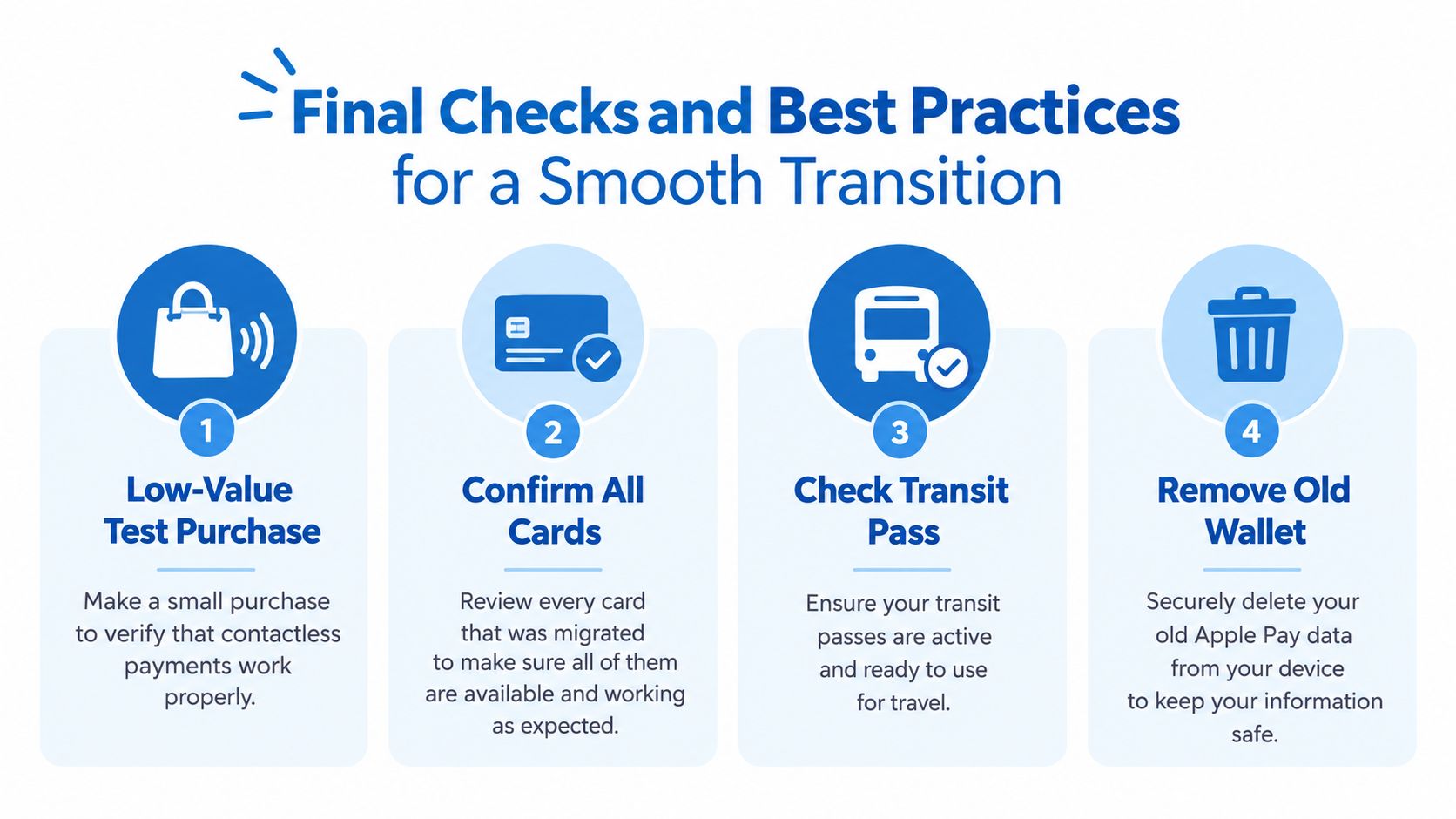
Use this final checklist
- Run a low-value test: Use a familiar contactless terminal and confirm that the transaction is authorized.
- Check every card: Verify each physical and virtual card separately. Don't assume one successful enrollment means other cards qualify.
- Review recurring merchants: Subscriptions, transit products, and stored merchant credentials may need manual re-enrollment.
- Confirm offline behavior: If the card supports offline payments, test that capability separately because terminal and issuer rules vary.
- Check records: Review transaction history, rewards tracking, foreign-exchange treatment, and available balance information.
- Keep Apple Pay available temporarily: Remove the old wallet only after Google Wallet handles the payments and services you need.
Wallet interoperability is narrower than account portability. You can often reuse the same card, but you can't export a wallet's credential, move Apple Cash directly into Google Pay, or infer crypto-balance portability from contactless compatibility. Keeping those boundaries clear prevents the most expensive mistakes, especially when a transfer or withdrawal cannot be reversed.
NomadCards compares crypto-linked card programs by supported networks, assets, custody models, KYC requirements, regions, card types, and Apple Pay or Google Wallet availability. Visit NomadCards to compare current options before choosing a card for your next device or wallet migration.