You've got Bitcoin, Ethereum, or stablecoins sitting in an account, but the checkout terminal only recognizes Visa or Mastercard. There's no crypto button, no wallet address field, and no obvious way to turn your balance into a coffee, hotel deposit, or online purchase. A crypto card connected to Google Pay is designed to solve that gap by presenting your crypto-funded card through the payment system merchants already accept.
The important detail is that Google Pay support isn't universal. It depends on the card issuer, the issuing country, your Google account region, device compatibility, and whether the issuer has enabled wallet tokenization for your account. The tap itself may feel simple, but the card, wallet, and funding costs underneath it deserve closer inspection.
| What to compare | Why it matters for Google Pay users |
|---|---|
| Issuing region | A card may work in one country and be unavailable in another |
| Custody model | Custodial and self-custodial cards can have different provisioning paths |
| Card type | Credit-style, debit, and prepaid products may handle transactions differently |
| Supported assets | Your preferred crypto may not be eligible for automatic spending |
| FX and transaction fees | The wallet may be convenient while the underlying card remains expensive |
| Rewards | Cashback can be reduced by conversion spreads or other issuer charges |
| Physical and virtual availability | A virtual card may work before a physical card arrives, if the issuer supports it |
Table of Contents
- Why Crypto Card Google Pay Matters Now
- Custodial and Self-Custodial Wallets Compared
- How to Add Your Crypto Card to Google Wallet
- Common Setup Errors and Region Restrictions
- The Hidden Costs of Spending Crypto via Wallet
- Choosing the Right Crypto Card for Google Pay
Why Crypto Card Google Pay Matters Now
A traveler with a crypto balance usually doesn't fail because the merchant rejects crypto specifically. The merchant only accepts familiar card networks, while the customer's funds sit somewhere else. A crypto card creates the missing translation layer, and Google Wallet puts that card behind a phone tap instead of requiring the user to carry another physical card.
The payment flow is straightforward from the merchant's perspective. The terminal receives a tokenized card payment, while the crypto-card provider handles the conversion and settlement behind the scenes. Google's payment stack supports tokenized cards in Google Wallet and Google Pay, with the returned payment method represented by either the underlying card number or a device tokenized card, known as a DPAN, together with cryptograms. The practical effect is that the wallet can authorize a card payment without exposing the same card details as a direct PAN transaction. CryptoSlate's overview of crypto cards with Apple Pay and Google Pay provides useful context on how this wallet layer fits into crypto-card spending.
The merchant sees a card, not a blockchain transaction
That distinction explains why crypto cards can work at ordinary card terminals. The merchant doesn't need to accept Bitcoin or Ethereum, and the checkout doesn't need blockchain integration. The issuer handles the crypto-to-fiat conversion or draws from the relevant card balance while the payment network processes a normal card transaction.
Practical rule: Treat Google Pay as the payment interface, not as the crypto exchange itself.
This matters for anyone comparing direct crypto purchases through Google Pay with spending through a crypto card. Those are separate flows. One funds or buys digital assets through a payment method. The other uses an already-issued card that may liquidate assets when you make a purchase.
The reach is broad, but not automatic
By 2026, independent coverage identified Google Pay support among prominent programs including Wirex, Nexo, Coinbase, Uphold, and Crypto.com, subject to eligibility and regional availability. That breadth shows that wallet provisioning has become a meaningful distribution channel for crypto-card issuers, particularly for Android users. It doesn't mean every Visa or Mastercard crypto card can be added.
The most useful way to understand the opportunity is through open payment infrastructure. Readers who want the wider context can explore why open payment networks matter, especially when evaluating whether a crypto product connects to existing rails or remains locked inside its own ecosystem.
Custodial and Self-Custodial Wallets Compared
The custody model changes what happens before you ever reach the “Add to Google Wallet” button. A custodial card generally sits inside an issuer's managed account structure. The provider controls the card relationship, handles compliance checks, and decides whether the card is eligible for Google Pay provisioning.
A self-custodial card connects spending more directly to a user-controlled wallet or an on-chain balance. That model can reduce reliance on a centralized crypto account, but it also gives the provider more technical and regulatory work to solve. The card still needs an issuer, a payment-network relationship, tokenization support, and a compliant way to authorize the transaction.
Custodial cards prioritize a predictable setup
With a centralized exchange-linked product, the issuer's app often contains the wallet enrollment flow. You may see an “Add to Google Pay” option directly beside the virtual or physical card. The provider can check your account status, identity verification, card state, and region before sending the provisioning request to Google Wallet.
That doesn't remove all friction. A custodial issuer can still restrict the card by country, product type, or account eligibility. Coinbase, Uphold, Nexo, and other programs have different issuance footprints, so a successful setup for one user doesn't prove that the same card works for another.
Self-custody gives control, but adds dependencies
A self-custodial card can be attractive when you want to retain control of assets until the moment you spend. The trade-off is that the wallet balance, smart-contract logic, card issuer, and payment network must work together. If any layer doesn't support Google's tokenization or the relevant jurisdiction, the card won't appear as an eligible wallet product.
A useful side-by-side explanation of these trade-offs is available in this guide to custodial and self-custody crypto cards. Use the custody label as a starting point, not as a guarantee of either privacy or convenience. A self-custodial product may provide stronger asset control while still offering weaker regional coverage, and a custodial product may be easier to provision while requiring more account verification.
How to Add Your Crypto Card to Google Wallet
Start with the issuer, not the Google Wallet app. If the provider hasn't enabled Google Pay for your card, manually entering the card details usually won't overcome that restriction. The cleanest setup begins inside the crypto-card app, where the issuer can authorize the wallet token and confirm that your account is eligible.
Follow the issuer-supported path
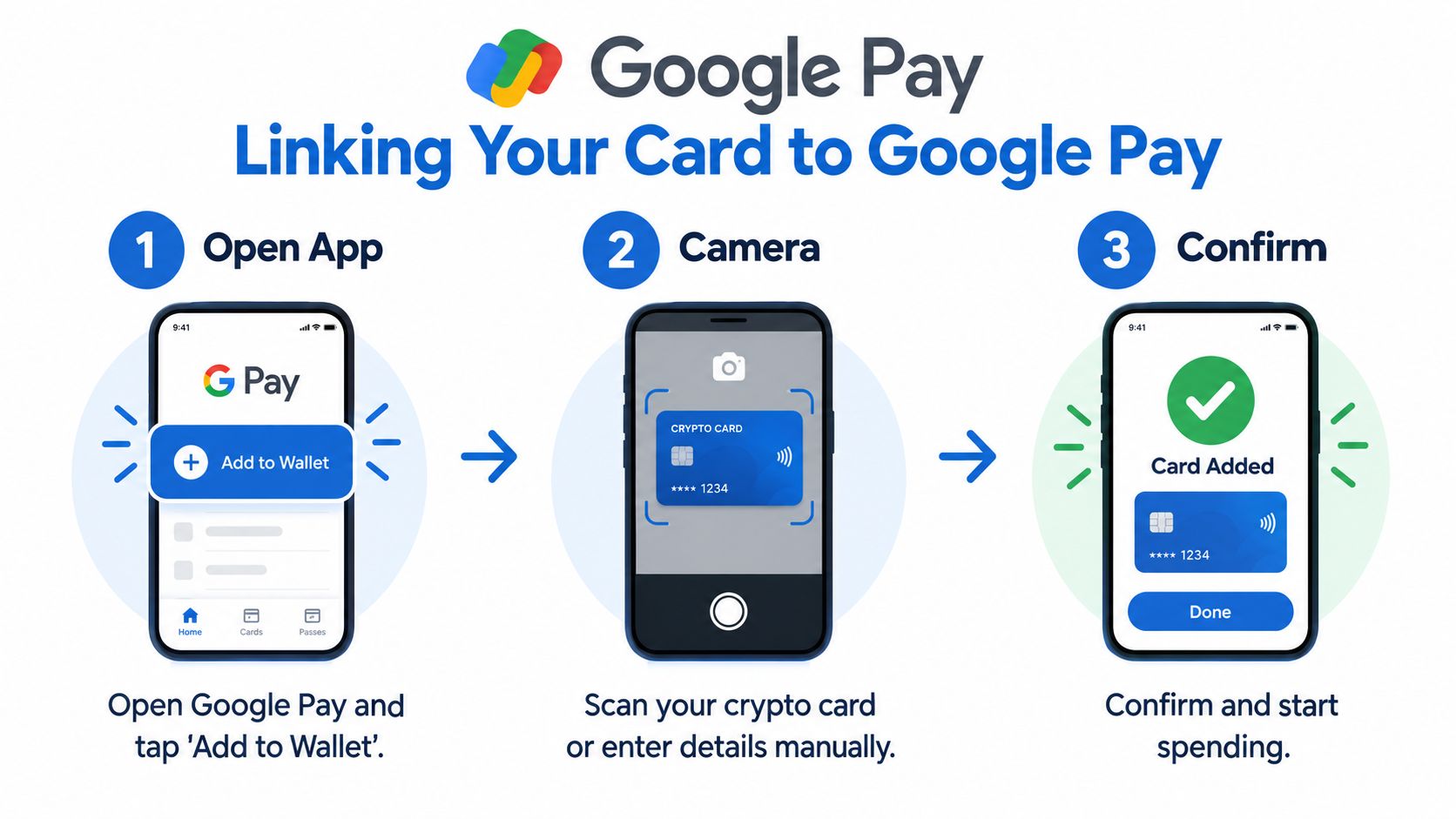
Open the card provider's app. Find the card management, digital wallet, or payment settings area. Look for an option labeled “Add to Google Pay” or “Add to Google Wallet.”
Select the eligible card. Some providers issue separate virtual, physical, debit, credit-style, or prepaid products. Choose the specific card that the issuer has marked as wallet-compatible.
Approve the provisioning request. The app may request identity confirmation, a security code, or another account check. Complete it in the issuer's app rather than trying to bypass the prompt.
Finish inside Google Wallet. Google Wallet may ask you to accept terms, verify a phone number, or confirm the card through the issuer. Complete the final check and make the crypto card the default payment option only after the card shows as active.
Test before relying on it. Use a small everyday purchase first. Check the issuer's transaction record, the asset that was sold or debited, and the final fiat amount.
The process is covered in more detail by this practical guide to crypto cards with Apple Pay and Google Pay. The exact labels vary by provider, but the underlying sequence remains similar: issuer approval, Google Wallet tokenization, account verification, and an active card status.
Check the region before troubleshooting the phone
A missing wallet button often indicates an eligibility problem rather than a damaged app. Google Pay support depends on the card issuer's country and bank enablement, while Google Wallet also applies regional and device rules. A card issued for one market may not be provisionable when the account or phone region belongs to another.
Before reinstalling anything, check:
- Issuer country: Confirm where the card was issued, not merely where the company has a website.
- Account region: Review the country associated with your Google account and payment profile.
- Card status: Make sure the card is active and eligible for contactless payments.
- Device settings: Confirm that NFC and screen-lock requirements are satisfied.
- Issuer notices: Look for country-specific wallet restrictions in the card app.
A VPN won't turn an unsupported issuer into a supported one. Wallet tokenization is an issuer and jurisdiction decision, so changing the apparent location can create another verification mismatch instead of fixing the original problem.
Common Setup Errors and Region Restrictions
The most frustrating failure is a card that works online but never shows an option for Google Wallet. Users often assume the app is broken, the phone is incompatible, or the card number was entered incorrectly. In practice, the missing button frequently means the issuer hasn't enabled wallet provisioning for that product or region.
Regional coverage makes comparisons especially important. Independent 2026 comparisons list Coinbase Card as available in the United States except Hawaii, Uphold in the United States and United Kingdom with exclusions, Nexo in selected European countries including the EEA and United Kingdom, and RedotPay across 100+ countries depending on jurisdiction. These examples come from regional crypto-card coverage and debit-card comparisons, and they show why a brand-level claim such as “supports Google Pay” isn't enough.
Diagnose the failure by layer
| Symptom | Most likely area to inspect |
|---|---|
| No add-to-wallet option | Issuer, product, or regional eligibility |
| Card appears but verification fails | Account identity, phone number, or issuer approval |
| Card adds but contactless payment fails | Device settings, terminal support, or token status |
| Card works at home but not abroad | Card usage rules, merchant restrictions, or jurisdiction |
| Wallet shows an old card | Remove the inactive token and re-enroll the current card |
A card's issuance geography and your phone or account region can both matter. Travelers and digital nomads shouldn't assume that carrying a supported card guarantees access everywhere. The card may be issued in an eligible country while the account region, device configuration, or local payment environment prevents provisioning or use.
Don't confuse a wallet rejection with a funding rejection
Google Wallet can successfully hold the token while the crypto-card transaction still fails later. That can happen when the issuer rejects the merchant category, the account lacks a supported asset, the balance is unavailable for settlement, or the card program applies a country restriction at authorization time.
The wallet confirms that the card can be represented on the device. It doesn't promise that every merchant, asset, or country will approve the underlying transaction.
Run one controlled test after setup. Keep the transaction small, use a merchant you trust, and compare the authorization amount with the issuer's final ledger entry. This separates a wallet problem from a conversion, balance, or card-policy problem.
The Hidden Costs of Spending Crypto via Wallet
You tap your phone, the terminal approves the payment, and the purchase appears to cost nothing beyond the displayed amount. The hidden charge may sit elsewhere in the transaction. Google Wallet handles presentation and tokenization, while the issuer, processor, card network, and conversion system determine how much crypto or fiat value the purchase consumes.
Start by separating using a crypto card through Google Pay from buying crypto directly with Google Pay. A direct purchase can include processor fees, card charges, spreads, or cash-advance treatment. A crypto-card payment may instead sell your asset at the point of sale, apply an FX spread, or add a spending fee. Both flows use Google Pay, but they expose you to different costs and should be assessed separately.
Where the cost can appear
Purchase costs vary by provider and payment route. Banxa's guide to buying crypto with Google Pay explains that Google Pay is the payment method, while the underlying crypto service sets its own charges. For wider context on how traders move between fiat and digital assets, see the TradingList crypto traders resource. These references provide useful comparisons, not a guarantee of what your card issuer will charge.
Check the full transaction path rather than relying only on the wallet screen:
- FX spread: The issuer may use a less favorable rate when the purchase and your balance are denominated in different currencies.
- Card transaction fee: The provider may charge for spending, conversion, or selected merchant categories.
- Cash-advance treatment: Some card-linked crypto purchases can trigger cash-advance fees and interest.
- Asset conversion: The provider may decide which balance to sell or require a particular stablecoin before settlement.
- Reward offset: Cashback can lose much of its value once conversion and foreign-exchange costs are included.
The payment can look free at the terminal while the funding method carries the expense.
Privacy, access, and rewards pull in different directions
A custodial card often gives you a simpler Google Pay experience because one provider manages the account, balance, and card relationship. The trade-off is a more visible identity-verification process and less direct control over the assets. A self-custodial card can suit users who prioritize control, but funding behavior, supported assets, and transaction handling may require closer checking.
Google Pay support also remains fragmented by issuer and region. A card may provision successfully in one market while its program, account, or spending rules differ elsewhere. Treat support as an issuer-specific feature rather than assuming that a Google Pay-compatible card works identically across countries.
Rewards require the same scrutiny. A high advertised cashback rate may be less valuable than a lower-reward card with a better exchange rate, fewer spending charges, and a funding method that does not force an unwanted asset conversion.
Use this crypto-card fee comparison to compare custody, conversion charges, supported assets, rewards, and regional availability together. A wallet-compatible product is only useful if its underlying costs fit your spending pattern.
A better test for value
Before making Google Pay your default spending method, complete one small purchase and record the merchant currency, crypto amount deducted, issuer exchange rate, and any separate fee. If travel is the main use case, repeat the check with a foreign-currency purchase. Compare the authorization amount with the final ledger entry, since the wallet display may not show every funding adjustment.
A tap-to-pay transaction succeeds only when the final cost matches your expectations. Free-looking wallet access doesn't make the underlying card free, and rewards should be judged after conversion and foreign-exchange costs, not before.
Choosing the Right Crypto Card for Google Pay
Google Pay compatibility should narrow the field, not decide it alone. Start with the country where the card will be issued and used. Then check supported assets, card type, custody model, and spending pattern. A card that provisions quickly is still a poor fit if it cannot serve your region or portfolio.
Use these decision criteria
Regional fit comes first. Confirm the exact issuance countries, usage restrictions, and Google Pay availability for your account. Coinbase, Uphold, Nexo, and RedotPay each have different geographic footprints, and RedotPay's availability varies by jurisdiction. Treat support as an issuer-specific feature. “Available internationally” does not confirm that the card will work in your country.
Fee visibility beats headline rewards. Check the conversion rate, foreign-exchange treatment, spending charges, and any cash-advance risk before applying. Google Wallet may cost nothing to use, while the card's funding method adds a spread or conversion charge behind the tap. A card with modest rewards and clear costs can outperform one with attractive rewards but an expensive spread on every purchase.
Match the card to your assets. Confirm that the issuer supports the crypto you hold and allows you to select the funding asset when applicable. If the program converts your balance into a particular stablecoin before spending, include that conversion, its custody implications, and any related charge in your assessment.
Separate convenience from control. A custodial product may be easier to provision and use with Google Pay. A self-custodial card may better suit your asset-control requirements, though setup and transaction handling can differ. Neither model automatically wins on privacy, fees, regional reach, or reliability.
Who should use this setup
Crypto Card Google Pay suits someone who already holds supported assets, wants a familiar Android checkout, and has confirmed issuer support in the relevant country. It can also work for travelers who need a card rail instead of direct crypto payments, provided they understand the card's foreign-exchange rules and regional limits.
It is less suitable when you need predictable fiat budgeting, broad cross-border acceptance, or a simple fee structure. A traditional debit card in Google Wallet may be easier to manage in those cases, while crypto stays in an investment or savings account rather than funding point-of-sale purchases.
NomadCards is one comparison option for reviewing supported networks, custody model, verification requirements, fees, assets, rewards, and Google Pay availability. Treat its listings as a way to narrow the shortlist, then verify current terms with the issuer.
If you're evaluating crypto card Google Pay options, compare regional eligibility, fee visibility, supported assets, and the balance between convenience and control before adding a card to your phone. Use NomadCards to narrow the field, then confirm the issuer's final terms for your country and spending pattern.