Crypto.com debit card purchase limits aren't one universal number. In the EEA they're €25,000 per day and €25,000 per month, in the UK £22,000 per day and £22,000 per month, in the US they're tiered from US$10,000 to US$25,000 per day, in Canada they reach C$35,000 per day on premium tiers, and in Singapore the card can allow S$100,000 for POS purchases while online transactions default to S$1,000 from 20 February 2025 unless you remove that cap in-app.
That difference matters when you're standing at checkout with a purchase that should go through on paper but still gets blocked in practice. The usual reason isn't that you misunderstood “the Crypto.com limit.” It's that there isn't a single Crypto.com limit to begin with. The answer depends on where your card is issued, which tier you hold, and whether the transaction is in-store or online.
Table of Contents
- Introduction to Crypto Com Debit Card Purchase Limits
- How Purchase Limits Are Categorized and Measured
- Regional Purchase Caps at a Glance
- Tier Based Limits in the United States and Europe
- Online Versus In Store Spending Controls
- How to Check and Raise Your Effective Purchase Limit
- Cross References and Alternatives on NomadCards
- Quick Reference Lookup and Related Resources
Introduction to Crypto Com Debit Card Purchase Limits
A reader usually lands on this question for one reason: a purchase is about to happen now. It might be a laptop, a hotel bill, tuition, or a flight change. You don't need a tour of card marketing. You need the blocking number.
That's where Crypto.com's terminology gets messy. The issuer publishes limits by jurisdiction first, then by card tier in some markets, and in at least one market the practical online checkout limit can be lower than the headline purchase ceiling. If you search quickly and stop at a generic review, you can end up looking at the wrong number.
The mental model that actually works
Use this order:
- Find the governing region for your card program.
- Check whether your region uses one cap for all tiers or tier-based caps.
- Separate POS purchase limits from online controls.
- Treat the lowest active control as the effective limit for the transaction you're about to make.
That last point is the one most comparison pages miss. A card can look generous in a summary table and still fail an online purchase because the online rail has its own control.
Practical rule: The limit that matters isn't the biggest published number. It's the smallest active cap on the payment channel you're using.
Why fast lookup beats generic summaries
Crypto.com's published numbers are useful once you normalize them. Europe and the UK look similar but use different nominal ceilings. The US adds tier splits. Canada goes higher for premium tiers. Singapore has the clearest example of a card that can be wide open for point-of-sale spending while still being conservative online.
The rest of this guide treats Crypto.com debit card purchase limits as a lookup problem, not a branding problem. That's the only way to avoid declines before you tap, insert, or press pay.
How Purchase Limits Are Categorized and Measured
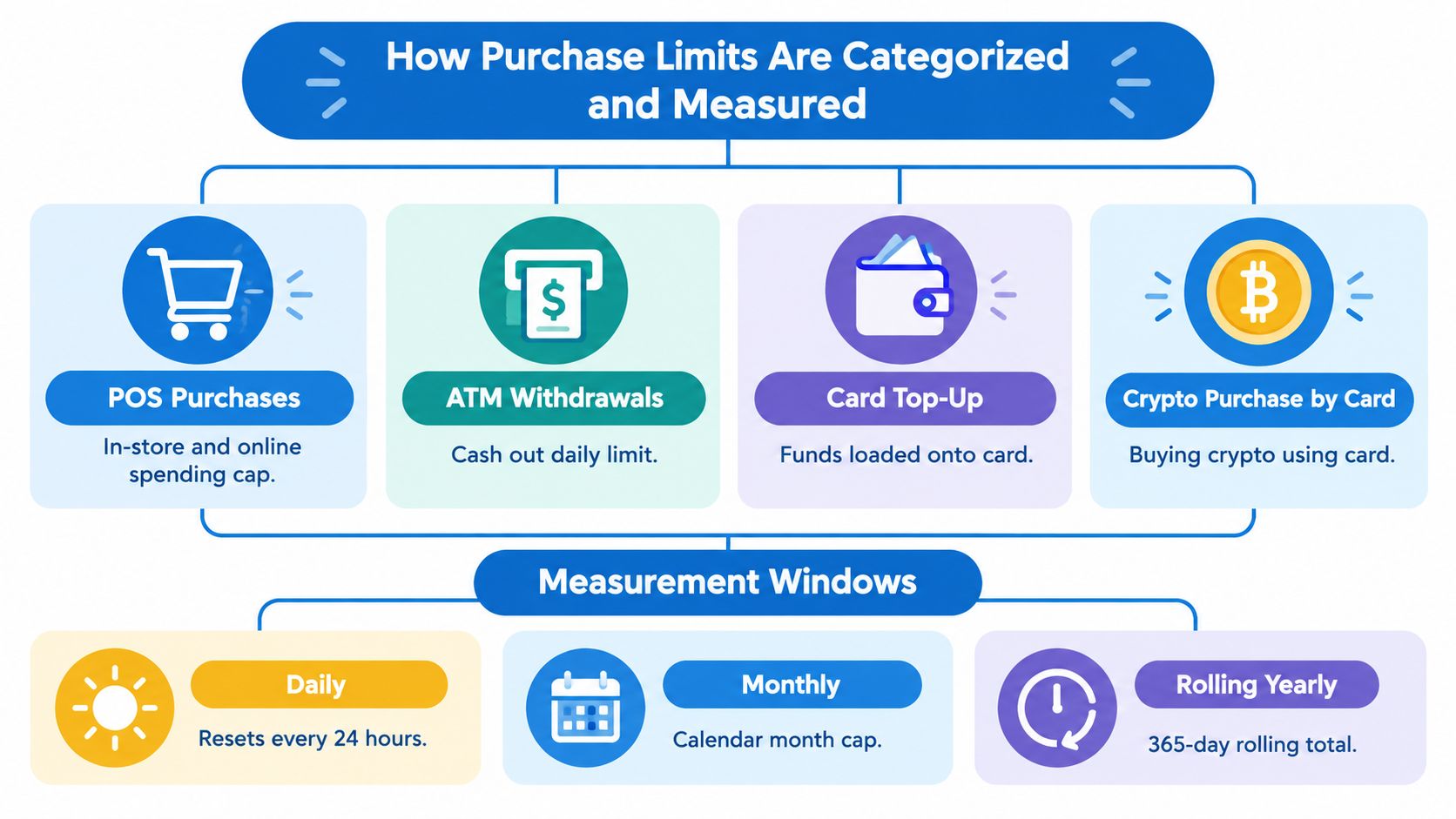
If you read issuer help pages, it's easy to mix together limits that govern completely different actions. Crypto.com publishes multiple kinds of card controls, and only one of them answers the checkout question.
Four limit types that readers often conflate
The purchase cap you care about at a merchant is the POS purchase limit. POS means point of sale. That includes ordinary card spending through merchant card rails.
Other limits can sit nearby on a support page but answer different questions:
- POS purchases govern merchant spending.
- ATM withdrawals govern cash access.
- Top-up limits govern how much value you can load onto the card program.
- Crypto purchase by card limits govern buying crypto with a debit or credit card, which is a separate use case from spending with the prepaid card.
If you're trying to pay a merchant, crypto purchase limits by card don't help you. They matter only when you're using a card to acquire crypto rather than using the Crypto.com card to spend.
Three measurement windows
Published caps can use more than one time window:
- Daily limits cap what you can spend in the daily window.
- Monthly limits cap cumulative spending for the month.
- Rolling yearly limits apply over a longer cumulative window in the regions where Crypto.com publishes one.
A structure like €25,000 daily and €25,000 monthly means the monthly cap doesn't add extra room beyond the first full-day maximum. In practical terms, one very large purchase can consume the whole month's allowance if it reaches that ceiling.
A daily cap tells you what can pass now. A matching monthly cap tells you how quickly that room disappears after one large transaction.
Why online can diverge from in-store
Card issuers can publish a broad POS ceiling and still enforce a separate e-commerce control. That isn't contradictory. It means the card program has more than one risk and compliance layer.
For a cardholder, the practical takeaway is simple:
- In-store transaction failing? Check the POS purchase cap and merchant acceptance.
- Online transaction failing? Check whether e-commerce has a separate control.
- Trying to buy crypto with another card? Look for crypto-purchase-by-card limits, not card-spend limits.
Once you separate those categories, the rest of the published numbers start making sense.
Regional Purchase Caps at a Glance
Regional issuance does more work here than many expect. For Crypto.com, the first question isn't “Which card color do I have?” It's “Which card program governs my account?”
The cleanest way to compare the main programs is to flatten them into one view.
POS Purchase Limits by Region
| Region | Daily POS Limit | Monthly POS Limit | Yearly Limit |
|---|---|---|---|
| EEA | €25,000 | €25,000 | €250,000 |
| United Kingdom | £22,000 | £22,000 | £220,000 |
| United States | Tiered by card | Tiered by card | Not stated in the cited US source |
| Canada | Up to C$35,000 on premium tiers | Midnight C$20,000 monthly stated | No yearly limit on premium tiers |
| Singapore | S$100,000 | S$100,000 | S$100,000 over a rolling 12-month window |
Crypto.com's Europe help page states that the EEA POS purchase cap is €25,000 per day, €25,000 per month, and €250,000 per year, while the UK structure is £22,000 per day, £22,000 per month, and £220,000 per year. The same Europe source also notes that Canada reaches C$35,000 daily on premium tiers with no yearly limit, while Midnight is capped at C$15,000 daily and C$20,000 monthly in that program's published limits (Crypto.com Europe card limits).
What the comparison actually tells you
The headline insight isn't just that the numbers differ. It's that jurisdiction is the main sorting rule. In Europe, all tiers share the same POS ceiling. In the UK, the structure is similar but the nominal limit is lower. In Canada, premium tiers get more headroom than the base tier.
Singapore stands apart because the POS ceiling is high but doesn't tell the whole story. The blocking limit for some users may show up only when they try to pay online.
For US-issued cards, the clean next step is to check the issuer's tier split directly rather than assume a flat national number. If you want a normalized profile view for that market, the US crypto card listings on NomadCrypto Cards are one way to compare card programs by region and card type.
If you move countries or hold cards issued under different regional entities, don't assume your old limit follows you. The governing program matters more than the brand name on the card.
Tier Based Limits in the United States and Europe
The US is where card tier clearly changes POS spending power. Europe is where many readers expect the same behavior and don't get it.
United States tier splits
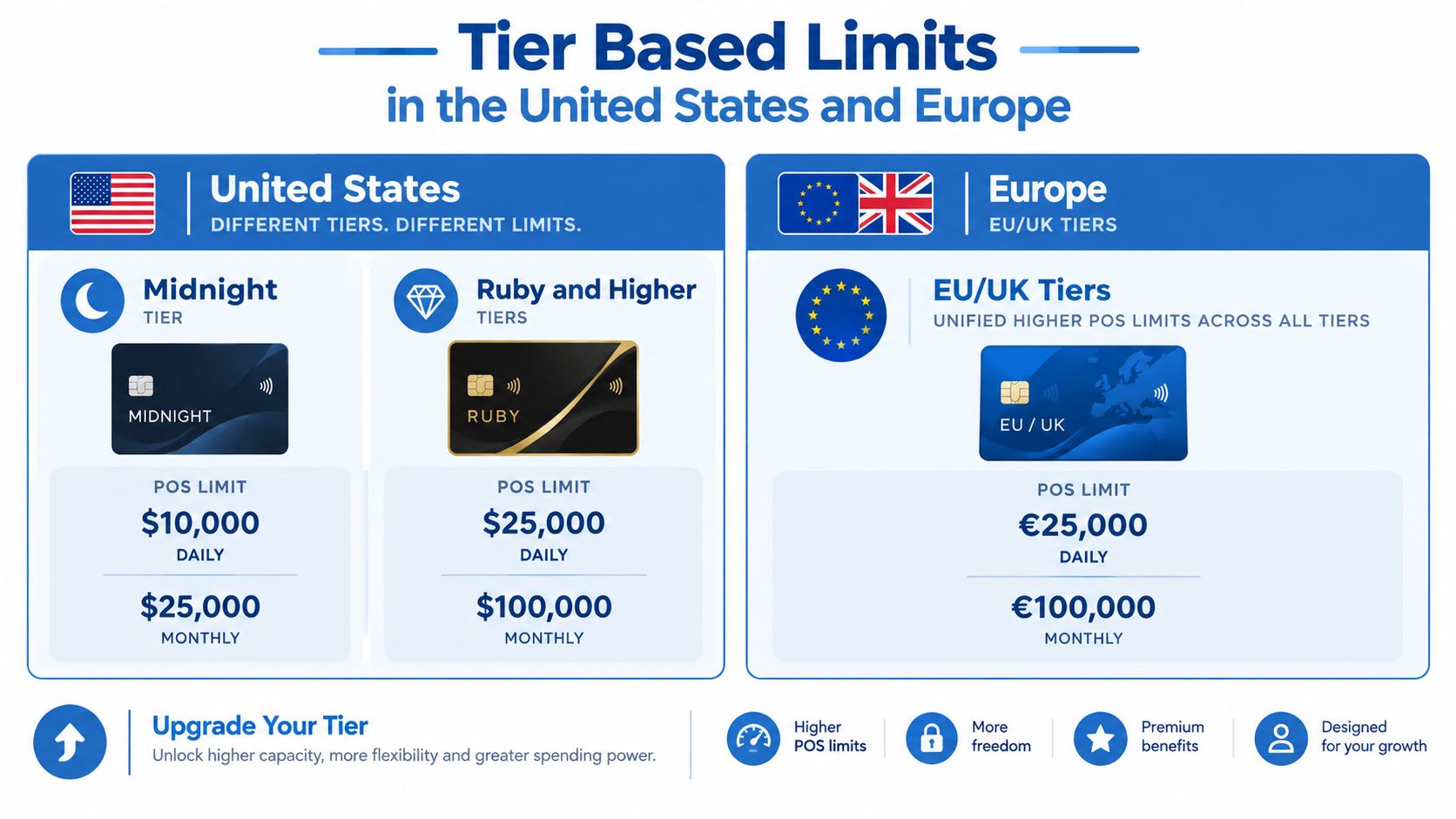
Crypto.com's US limits page publishes a lower band for the Midnight card and a higher flat band for the rest of the main tiers. Midnight Card users are limited to US$10,000 per day and US$15,000 per month, while Ruby, Indigo/Jade, Icy/Rose, and Obsidian each allow US$25,000 per day and US$25,000 per month (Crypto.com US card limits).
That creates a simple decision rule in the US. If your concern is merchant purchase capacity, upgrading from Midnight to a higher tier materially changes what can clear in a single day and over a month. After Ruby, the published POS limits in that source flatten out.
Europe works differently
In the EEA, the purchase cap doesn't scale by card tier for POS spending. The published Europe and UK figures are program-level limits, not a tier ladder. That means a reader who upgrades for rewards or branding shouldn't assume that the card's purchase ceiling also rises.
Many people waste time. They compare tier names when the limiting factor is the regional entity that issued the card.
For a standardized product snapshot of the card itself, the Crypto.com Visa card profile can be useful as a reference point. But the key analytical point remains the same: in Europe, tier is not the main POS variable.
A separate tier ladder for buying crypto by card
The EEA also has another set of limits that often gets mistaken for spending limits. Crypto.com publishes weekly ceilings for crypto purchases by debit or credit card, ranging from US$25,000 for Midnight Blue up to US$100,000 for Obsidian and Prime in the cited source above.
That matters because it shows two different tier stories operating at once:
- POS spending in Europe is mostly governed by jurisdiction.
- Buying crypto by card in the EEA does scale by tier.
Those are different actions, and Crypto.com treats them differently. A tier upgrade can matter a lot for one and not at all for the other.
Online Versus In Store Spending Controls
Singapore is the clearest example of why a single purchase-limit number can mislead you. The POS headline is very high. The online rail can still be much tighter by default.
The split that catches people
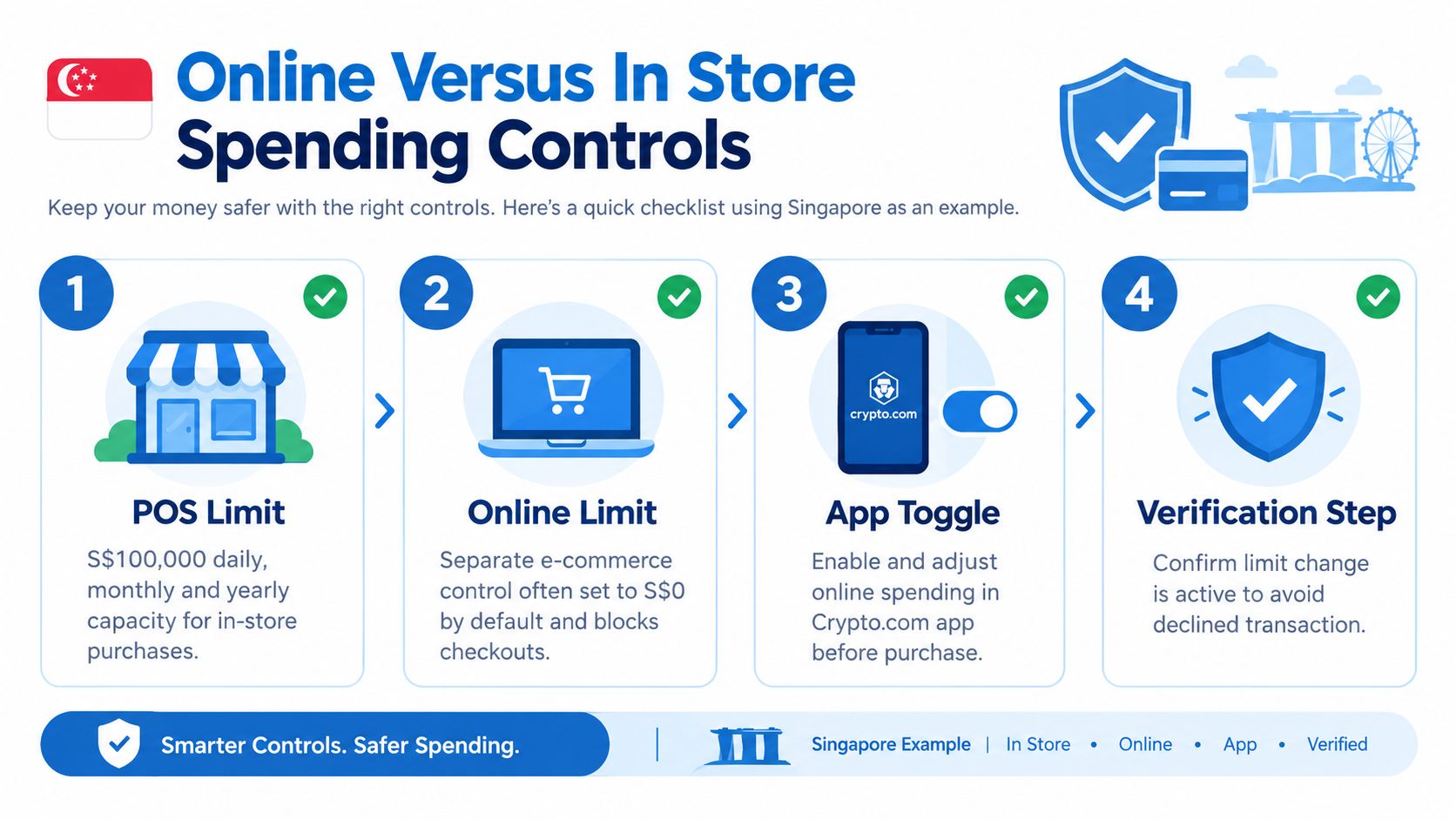
For Singapore-resident users, Crypto.com lists a POS purchase ceiling of S$100,000 daily, monthly, and over a rolling 12-month window. But the same published guidance adds a default S$1,000 limit for online transactions from 20 February 2025 unless the user removes it in-app (Crypto.com Singapore card limits).
That's not a small footnote. It means a card that can handle a large in-store purchase may still reject a bigger online checkout until the separate e-commerce control is changed.
Why this matters in real use
A hotel front desk, electronics shop, or duty-free counter may process on standard card-present rails. An airline site, tuition portal, or online retailer uses e-commerce rails. If those channels carry different controls, your experience of the “same card” can feel inconsistent even when the issuer is following its published rules exactly.
A secondary analysis of the same issue makes the practical consequence clearer: coverage often mixes card purchase limits with online checkout controls, even though they can diverge sharply. For Singapore users, the default S$1,000 online cap is framed as a compliance-driven measure, with manual removal available in-app (analysis of the Singapore online cap).
The number you see in a card summary table may describe only card-present capacity. Online checkout can still be gated separately.
What changes when you remove the online cap
The important distinction is that changing an e-commerce control doesn't automatically mean the general POS ceiling has changed. It modifies the online spending path. That's why a user can fix an online decline without any redesign of the overall card program.
For travelers and digital nomads, this is the hidden failure mode to check first. If the purchase is online and your region applies a separate control, the effective purchase limit is the online setting, not the broader POS headline.
How to Check and Raise Your Effective Purchase Limit
Before a large purchase, don't start with the merchant. Start with your own card settings and program details.
What to verify before you pay
Use a short checklist:
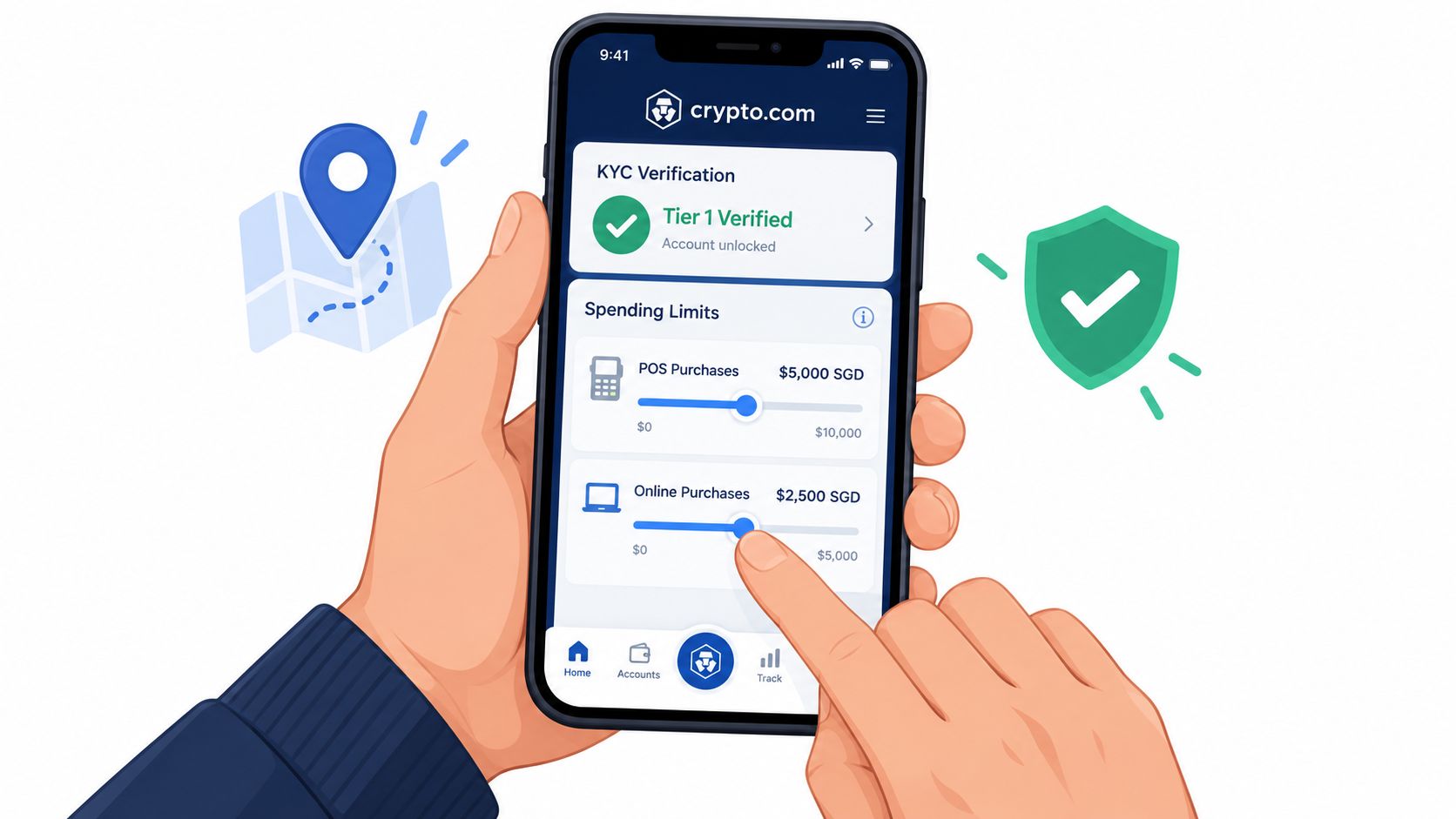
- Confirm your issuing region. Your card's published limits follow the regional program attached to your residential setup, not a generic global card page.
- Check your card tier. In the US especially, Midnight and higher tiers don't share the same published POS cap.
- Look for online controls. If the purchase is e-commerce, make sure there isn't a separate online setting acting as the blocker.
- Review your verification status. Different card programs and account states can affect what features are available. If you need a primer on verification frameworks across cards, this KYC levels guide explains the common categories.
A practical sequence for large transactions
First, identify whether the purchase is in-store or online. That sounds obvious, but it changes which limit matters.
Second, compare the transaction size against the relevant published window. If your region uses both daily and monthly caps, treat both as live constraints. A transaction can fit under one and still fail under the other if you've already spent heavily in the same period.
Third, if you're in Singapore and the transaction is online, check whether the default e-commerce control is still active and remove it in-app if needed, following the issuer's process.
After that, try a small test payment if the merchant allows it. That won't guarantee every larger transaction clears, but it can reveal whether the issue is your card setting or the merchant's payment setup.
A quick walk-through of in-app controls can help before you try the purchase:
If the payment still fails
At that point, the problem may be outside the published purchase cap itself.
- Merchant-side acceptance: Some merchants process in ways that interact badly with prepaid programs.
- Card network routing: A transaction can fail even when your nominal spending room is sufficient.
- Channel mismatch: An order you thought was card-present may be handled as e-commerce.
Pre-purchase habit: For travel, electronics, or tuition, check the limit in the app before you leave the payment screen. A two-minute review is faster than troubleshooting a decline with a merchant waiting.
Cross References and Alternatives on NomadCards
When a Crypto.com cap is too low for your use case, the next task isn't to hunt random reviews. It's to compare card programs using the same fields.
What to compare when limits are the issue
If spending headroom is your priority, the useful filters aren't general lifestyle features. They're operational ones:
- Per-transaction or purchase limits
- Network such as Visa or Mastercard
- KYC level
- Custodial versus self-custodial model
- Wallet and payment features such as Apple Pay, Google Pay, virtual card support, or physical card issuance
NomadCards is one comparison option that aggregates card data into standardized fields and publishes weekly refreshed composite scores using factors such as fees, privacy posture, trust and regulatory context, and community sentiment. That kind of normalization matters because issuer pages rarely present like-for-like comparisons.
Why jurisdiction still comes first
Even when you're comparing alternatives, the first filter should still be region. Crypto.com's own published caps show why. The United Kingdom is set at £22,000 daily, £22,000 monthly, and £220,000 yearly, while Europe is listed at €25,000 daily, €25,000 monthly, and €250,000 yearly for all card tiers, which means jurisdiction can be the controlling constraint more than tier alone (FinanceFeeds summary of Crypto.com regional caps).
That's a useful benchmark for evaluating other cards. A competing product with a lower rewards profile may still be the better fit if its purchase mechanics align better with your region and transaction type.
A smarter shortlist
A good shortlist for alternatives should answer four questions quickly:
- Can this card be issued where I live?
- Does it support the payment channel I use most?
- What verification model does it require?
- Will its purchase mechanics fit my largest recurring spend?
Readers usually focus on rewards first. For purchase limits, that's often the wrong order. Capacity, region, and payment channel decide whether the card is usable at all.
Quick Reference Lookup and Related Resources
This is the fast-return section. If you only need the published number closest to your situation, use the table first and then check whether your payment is in-store or online.
Quick Lookup Crypto Com Debit Card Purchase Limits
| Region / Tier | POS Daily | POS Monthly | Online Default |
|---|---|---|---|
| EEA all tiers | €25,000 | €25,000 | Not separately stated in the cited source |
| UK all tiers | £22,000 | £22,000 | Not separately stated in the cited source |
| US Midnight | US$10,000 | US$15,000 | Not separately stated in the cited source |
| US Ruby, Indigo/Jade, Icy/Rose, Obsidian | US$25,000 | US$25,000 | Not separately stated in the cited source |
| Canada Midnight | C$15,000 | C$20,000 | Not separately stated in the cited source |
| Canada premium tiers | C$35,000 | Not stated in the cited source | Not separately stated in the cited source |
| Singapore | S$100,000 | S$100,000 | S$1,000 default for e-commerce from 20 February 2025 unless removed in-app |
Terms that matter when reading limits
- POS means point of sale. It covers merchant spending through the card network.
- E-commerce means online card transactions, which may have separate controls.
- Rolling 12-month window means the annual measurement isn't necessarily tied to a calendar year.
- KYC tier refers to your verification status or card program setup, which can affect access and controls depending on the issuer.
How to use this table correctly
Start with the row that matches your issuing region. If you're in the US, then narrow by tier. If you're in Singapore and the payment is online, treat the online default as the first thing to check before assuming the POS cap is the issue.
If your use case is cross-border spending, keep a second question in mind: is the transaction being processed as card-present or online? That distinction can matter more than the daily ceiling.
For related research, the most useful adjacent topics are card verification requirements, fee structure, and regional card availability. Those three filters usually decide whether a card that looks attractive in a headline table will still fit your actual spending pattern.
If you compare crypto cards regularly, NomadCards is a practical place to cross-check purchase mechanics, KYC requirements, network, custody model, and regional availability in one view. For this topic specifically, it helps when you need to move from “What is the Crypto.com limit?” to “Which card fits my purchase size and region?”