You're staring at a virtual card in an app, and the one thing you need most is missing. No logo on the front. No embossed name to scan. Maybe the number looks odd too, which makes you wonder whether you're holding a Visa, a Mastercard, or something else entirely.
The fix is straightforward if you use the right order. First, check the logo or network mark. Then cross-check the card number or EMV data. Finally, confirm it in the issuer's own app or support channel. That three-layer check matters even more for crypto cards, where the visible card surface can be virtual, tokenized, or branded differently from the underlying payment rail.
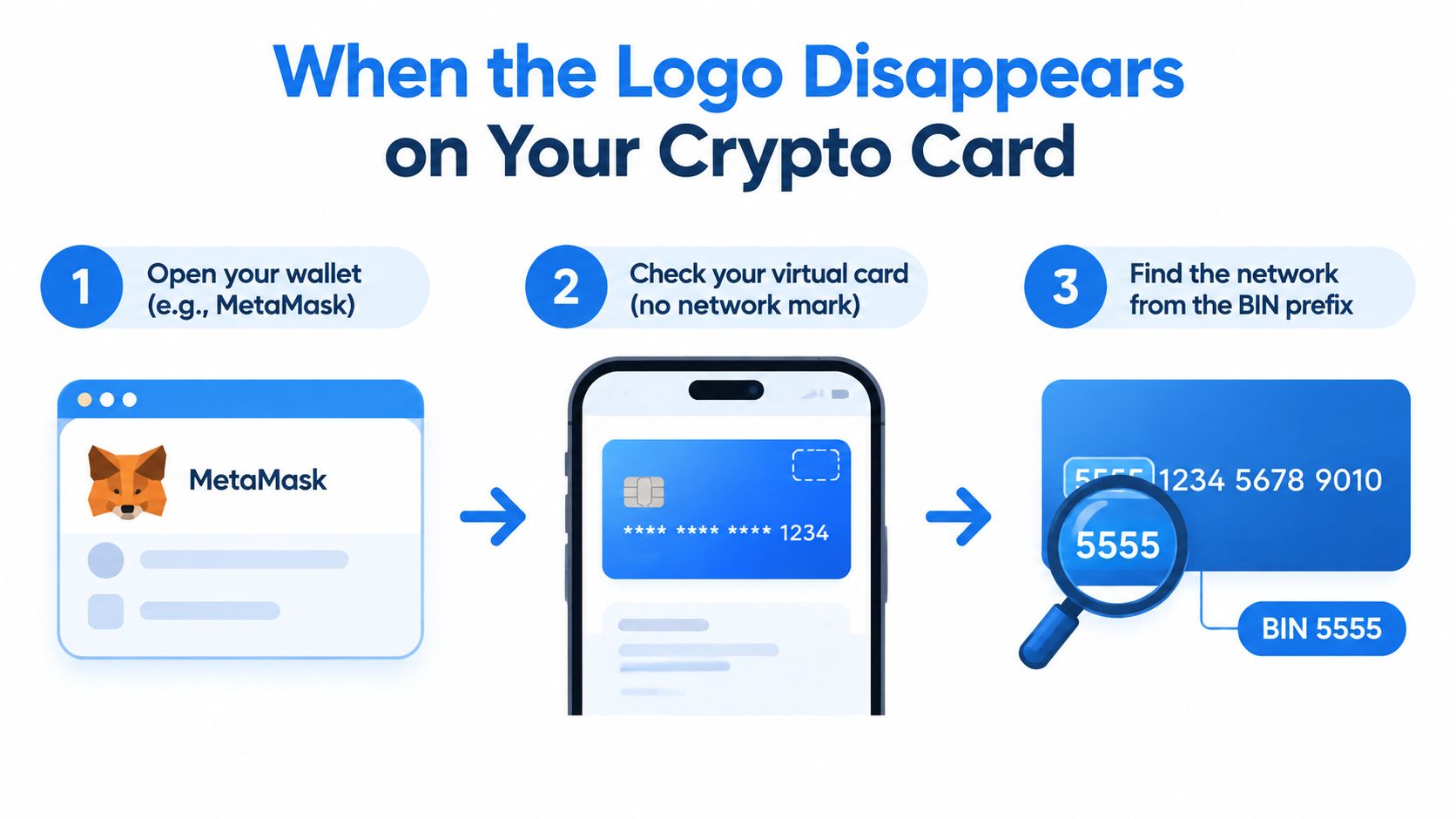
Table of Contents
- When the Logo Disappears on Your Crypto Card
- Reading the Branding on the Card Itself
- Using the Card Number and BIN to Cross-Check the Network
- Confirming Through the Issuer App, Statement, or Support
- What Network Identity Does Not Tell You
- Troubleshooting When Identification or Acceptance Still Fails
When the Logo Disappears on Your Crypto Card
The confusion usually starts in a wallet app, not at the checkout counter. You open a crypto-card screen, and instead of a clean plastic card with a visible brand mark, you get a digital card image, a masked number, or a token that looks nothing like the old “check the logo” advice. If you're using a browser wallet or an app-only card, that's normal, not a sign that the card is broken.
Start with the question the card surface can actually answer
A visible logo can tell you the network quickly, but only when one is present. A Visa or Mastercard mark on the card surface usually points to the payment network, while the issuer's name points to the company that gave you the card. Those are different roles, and crypto-card users mix them up all the time.
Practical rule: if you can see a network mark, treat it as your first clue, not your final answer.
If the logo is missing, don't jump to the first digit or a color cue. Tokenized cards, app-only cards, and virtual cards can hide the underlying number, and the screen you're looking at may not show the card data at all. That's why the verification process needs a second and third layer.
Use the three-layer method
- Visual check. Look for the card network mark on the front, back, or inside the app.
- Number check. Compare the card number prefix or EMV data.
- Issuer confirmation. Verify the network in the issuer's app, agreement, or support tools.
This is especially useful for crypto-linked cards because the branding you see can belong to the program provider, while the actual network is still Visa or Mastercard underneath. If you want a concrete example of a program that uses network branding alongside a separate issuer relationship, the card details around the Crypto.com Visa card show how those layers can sit side by side.
Reading the Branding on the Card Itself
The fastest answer is still the one printed or rendered on the card surface. On a physical card, that usually means the front or back. In an app, it might be on the digital card image or the details screen.
What Visa and Mastercard usually look like
Visa typically appears as the word “Visa” in blue or in a blue-and-gold treatment. Mastercard is usually shown as two overlapping red and yellow circles. Mastercard says those circles became a standalone brand mark for many uses in January 2019, when the word “mastercard” was removed from the logo, so older and newer cards can look different in the wild (Mastercard brand history).
That history matters because some legacy cards still show older Mastercard designs. You may even spot the old “Master Charge” identity or the stylized “i” symbol on older stock. Those are clues, but the red-and-yellow circle mark is the more reliable visual sign today.
Network brand and issuer name are not the same thing
A card can say Binance, Crypto.com, or another program name and still run on Visa or Mastercard. The issuer is the entity that makes the card available to you and sets the terms. The network is the rail that moves the payment. That distinction is why a card can look like one brand at a glance and still settle over another network underneath.
For product comparison, that separation matters. The network mark helps you identify the rail, but it doesn't tell you who sets the fee structure, what wallet support you get, or how cash withdrawals are handled. If you're comparing crypto-card programs across issuers, the issuer bank guide for fintechs is a useful reference because it helps separate issuer roles from network branding.
A quick way to scan legacy and co-branded cards
- Front surface: look for a network mark near the corner or lower half of the card.
- Back surface: check the signature strip area or the fine print.
- App card image: inspect the digital card screen, not just the homepage tile.
- Co-branding: expect both a program mark and a network mark on the same card.
If the logo is obvious, you've probably solved the first layer. If it isn't, don't force the answer from the card art alone.
Using the Card Number and BIN to Cross-Check the Network
When the logo is missing, the card number becomes the next layer to check. The Primary Account Number, often called the PAN, can point you toward the network and issuer, but it works as a cross-check, not a shortcut you should trust on its own. For fintech and card program operators, an issuer bank guide for fintechs helps explain why issuer identity and network identity sit in separate layers of the stack.
What the prefix can tell you
Under ISO/IEC 7812, Visa cards use a Major Industry Identifier of 4, while Mastercard cards commonly begin with 5 or the newer 2-series range, 222100–272099 (Solidgate glossary on BIN identification). A card that starts with 4 is often Visa, and a card that starts with 5 or falls within the 2-series is often Mastercard.
The old “Visa starts with 4, Mastercard starts with 5” rule leaves out part of the picture. Mastercard also uses 2-series numbers, and virtual or tokenized cards may hide the underlying number altogether. In those cases, the visible prefix can point you in the wrong direction.
| Network | MII / leading digits | Example BIN range | EMV AID |
|---|---|---|---|
| Visa | 4 | Varies by issuer | A0000000031010 |
| Mastercard | 5, 2-series | 222100–272099 | A0000000041010 |
Why six digits aren't always enough
The first six digits identify the issuer, but they do not always identify the product or network cleanly. Eight-digit IINs now sit alongside six-digit BINs, so a lookup table built on older assumptions can return the wrong issuer or product. Use the prefix to narrow the answer, then confirm it against the issuer's current records.
Useful habit: use the prefix to narrow the answer, then confirm it against the issuer's current records.
EMV data gives you a cleaner hardware-level check
If you are checking chip or contactless data, the Application Identifier, or AID, is a stronger technical clue. Visa's standard credit and debit AID is A0000000031010, and Mastercard's is A0000000041010. That is useful when the visible branding is missing or when a tokenized card shows confusing front-end data.
The AID acts like a machine-readable label in the card's payment applet. It does not replace issuer confirmation, but it gives you a better read than a front-facing prefix when the card is virtual, tokenized, or partially branded.
Confirming Through the Issuer App, Statement, or Support
If the card is virtual, tokenized, or displayed inside a wallet, the issuer's own surfaces are often the cleanest answer. The visible number you see in Apple Pay, Google Pay, or another wallet can be a device-specific token rather than the underlying card number, so it may not match the network clues you'd expect from the physical card.
Where to look when the surface clue fails
Start with the card-details screen in the issuer app. That screen often shows the network name, the last four digits, and sometimes the card type. If the app doesn't show it directly, check the digital-card image shown at provisioning, the cardholder agreement PDF, or the monthly statement.
Then use support. A chat agent or email reply can usually confirm the network on file quickly, especially if you give them the last four digits and your account details. Don't post the full PAN in a public forum, even if you're asking for help. The last four digits are enough for a support conversation.
Why wallet tokens confuse the answer
A token in a wallet is not always the same as the card number. That's why the prefix on the phone screen can be misleading, and why a card that looks like one network in a wallet might still map to another network at the issuer level. The issuer's app or documentation is the place to trust first.
If you're checking a payment stack inside a merchant setup rather than as a cardholder, a practical integration reference like Dotstore's Stripe WooCommerce tutorial can help you think about where card data appears and who controls the payment surface.
Simple support checklist
- App card details: look for the network label and the last four digits.
- Agreement PDF: search for “network,” “Visa,” or “Mastercard.”
- Statement: check how the card is described on billing documents.
- Support chat: ask, “Is this card routed over Visa or Mastercard?”
Some programs route cards differently by region, so the same issuer name can support more than one network. When that happens, the issuer's own records beat what the card art seems to suggest.
What Network Identity Does Not Tell You
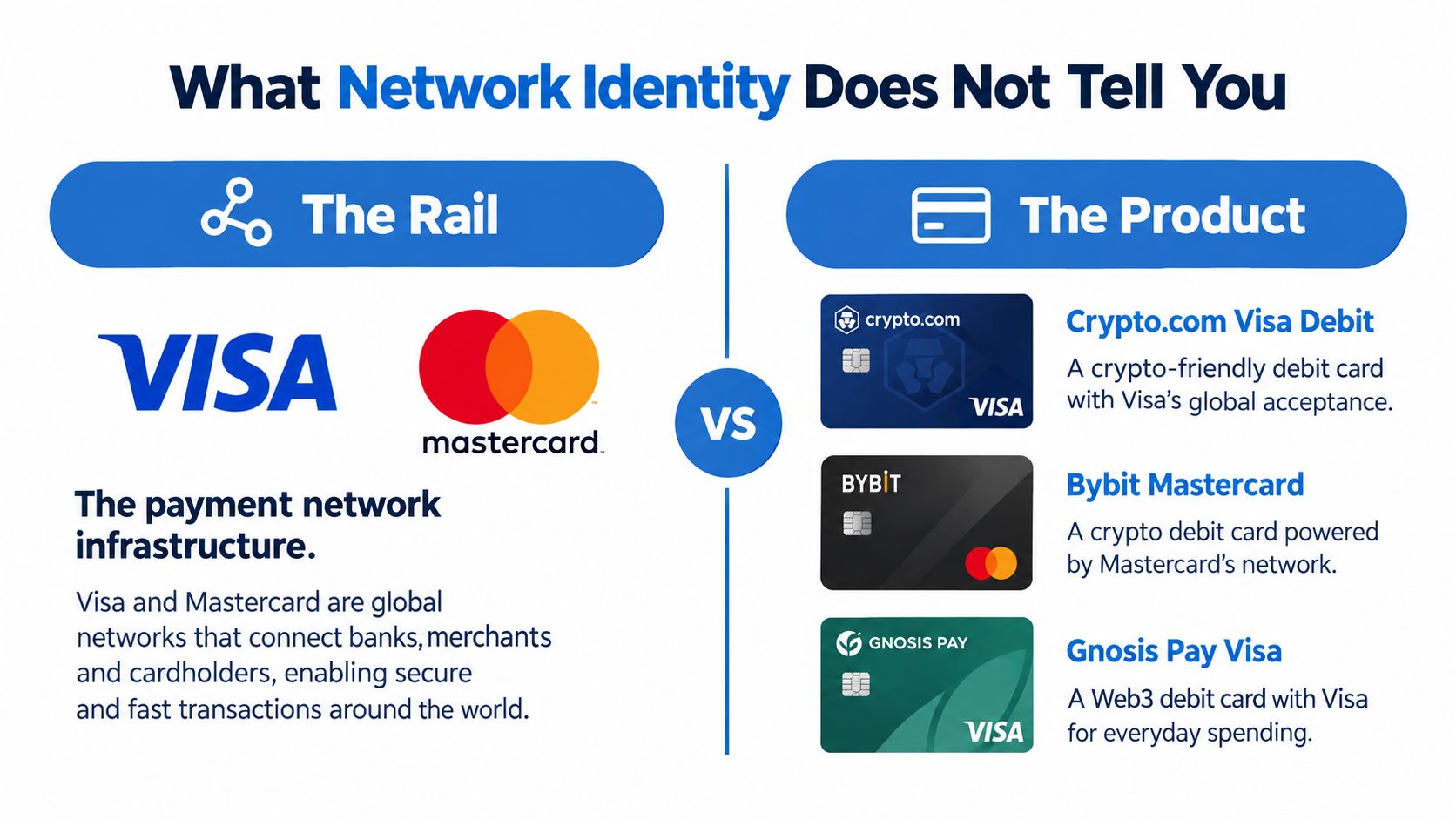
Knowing the network tells you the rail. It does not tell you whether the card will work everywhere you want, earn the rewards you expect, or fit the custody model you prefer. That gap matters most with crypto cards, where the product name and the payment network can sound interchangeable even though they solve different problems.
Rail versus product
The rail is the network. The product is the card program. A Crypto.com Visa debit, a Bybit Mastercard, and a Gnosis Pay Visa all sit on top of network infrastructure, but each program can still differ on fees, region availability, spending rules, and what assets or balances fund the card. That's why network identity is only one field in a normalized comparison.
NomadCards organizes those product differences by fields such as cashback, annual fee, supported assets, network, and region availability, which is the right way to compare cards after the network is confirmed. Its crypto card KYC levels guide is useful if you're deciding whether a card fits your verification tolerance as well as your network preference.
Acceptance still depends on the issuer and the merchant
Even when a card is a real Visa or Mastercard, acceptance can still vary. Merchant category, country, offline versus online authorization, prepaid rules, balance checks, KYC status, and regional issuer restrictions all sit outside the logo. That means the same network can behave differently across products.
Scale doesn't fix that. By 2023, more than 4.1 billion Visa-branded cards were reported in circulation worldwide, roughly one-third more than Mastercard-branded cards (Merchant Maverick). That tells you both networks operate at huge scale, not that one product automatically offers better terms for your use case.
Bottom line: the logo answers “which network,” not “which deal.”
If you're comparing crypto cards on NomadCards, focus on the product fields after you identify the network. That's where the trade-offs show up.
Troubleshooting When Identification or Acceptance Still Fails
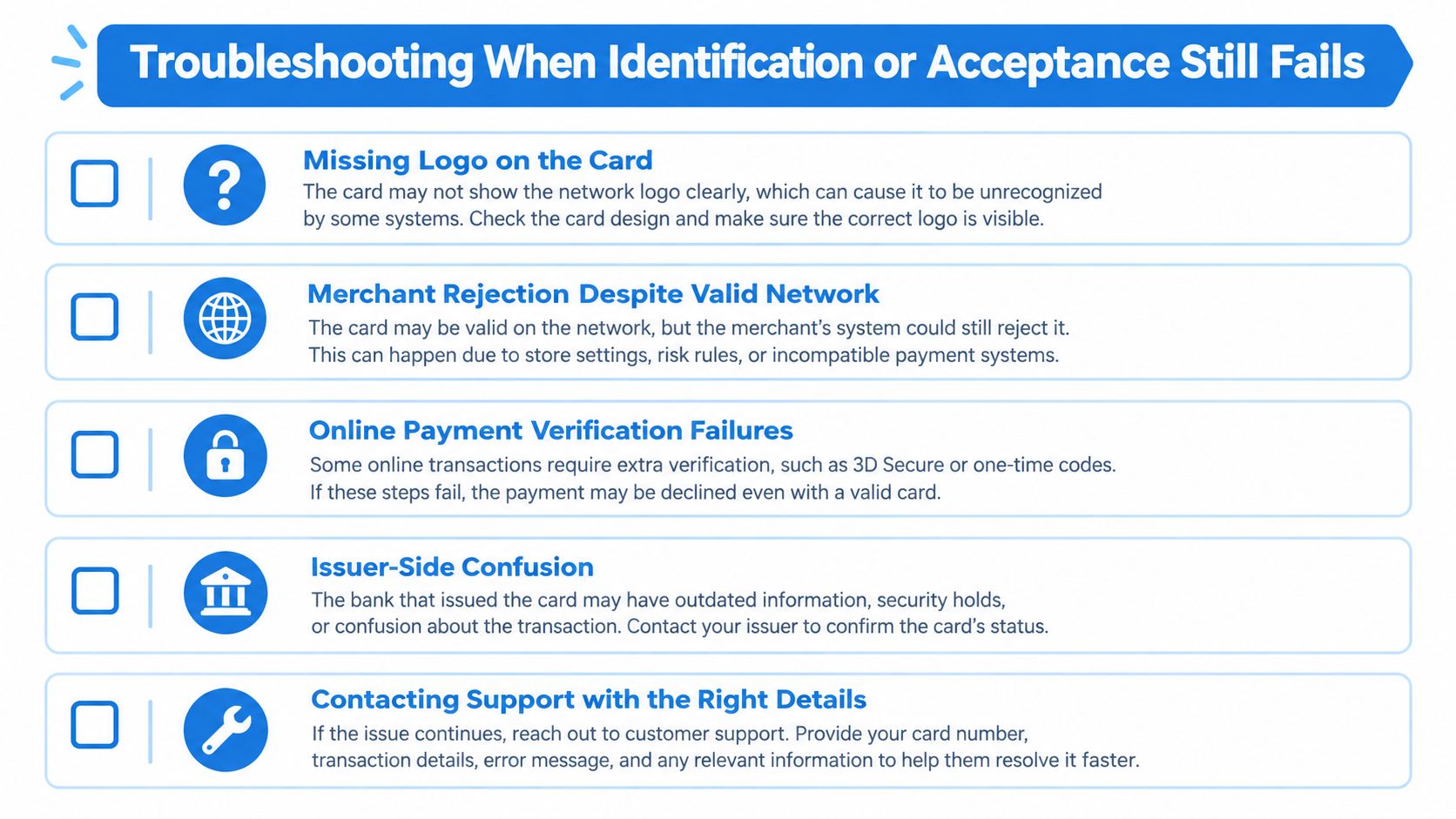
If the logo is missing, the prefix disagrees with the label, or the card still gets declined, don't assume the network is wrong. Start with the most common failure points and work outward. Many of them are product-level issues, not network-level issues.
Check the likely failure point first
- Missing logo: use the issuer app or cardholder agreement instead of guessing from the number.
- Merchant rejection: confirm whether the merchant accepts prepaid, debit, or card-not-present transactions.
- Token mismatch: if the wallet token looks different, verify the underlying card in the issuer app.
- Issuer confusion: ask support whether the program routes over Visa or Mastercard in your region.
- Support follow-up: give the last four digits and the exact decline message, not the full PAN.
For crypto-linked products, card declines can also come from cash-advance treatment, FX markup, balance or collateral rules, or KYC and region eligibility. If the card converts crypto at authorization or settlement, the timing can matter too. The network doesn't override those program rules.
Why a “real Visa” can still fail
A card can be a valid Visa or Mastercard and still be declined at checkout because the merchant category is blocked, the account balance is too low, the region doesn't qualify, or the issuer has placed a restriction on the transaction type. That's especially true when the card is prepaid or tied to a crypto-funding model.
For a focused checklist of decline causes, the crypto card declined reasons and fix guide is a practical next stop. If the issue turns into a dispute or chargeback situation, tools like fight chargebacks with Disputely are relevant for the merchant side of the conversation.
A modern routing reality
Mastercard's 2025 reporting described 14% year-over-year cross-border-volume growth and more than 17 billion connected endpoints for its money-movement platform (FXC Intel). That kind of layering shows why card rails now sit alongside wallets, fintech intermediaries, and alternative settlement assets. A network match is useful, but it doesn't guarantee a clean authorization.
If you're comparing crypto cards and want the network, fees, KYC level, supported assets, and regional availability in one place, visit NomadCards. It normalizes card programs so you can check whether a Visa or Mastercard product fits your spending needs before you apply.